Protectli Vault Pro VP2420 in a 10-inch rack
Protectli VP2420 in a 10-inch rack: a fanless four-port 2.5 GbE firewall for OPNsense or pfSense CE, on a 1.5U carrier or the hex shelf.

On this page
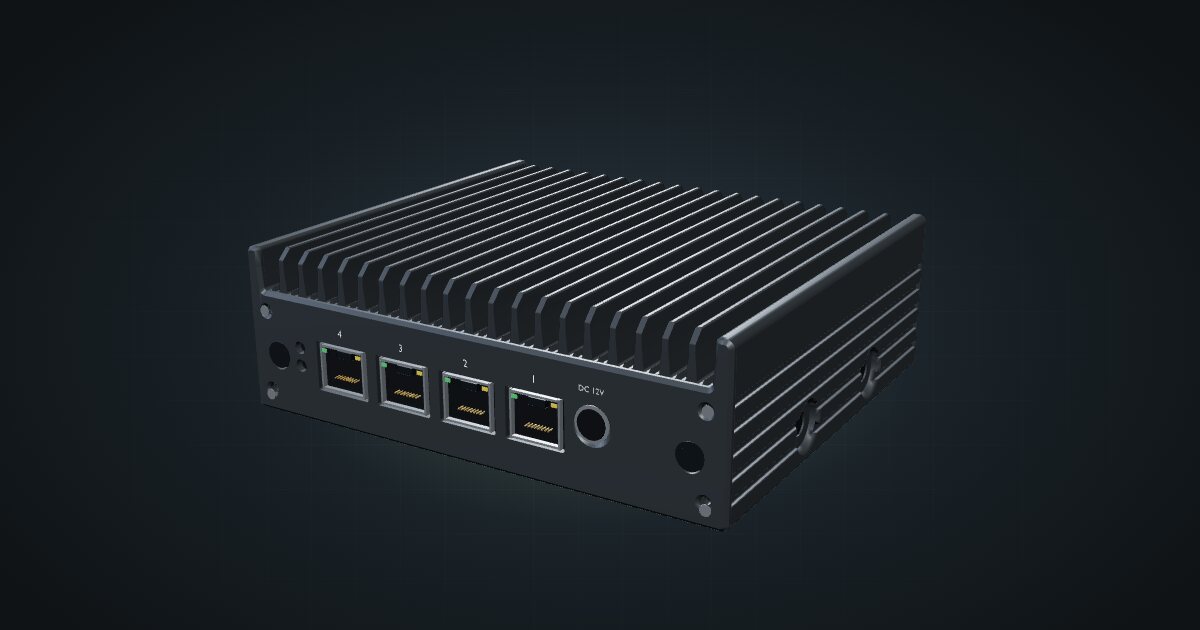
The Vault Pro VP2420 is Protectli’s compact multi-gig firewall: an x86 box with four Intel 2.5 GbE ports, a quad-core Celeron and no fan. It suits anyone who wants OPNsense or pfSense CE on dedicated hardware for a home line faster than Gigabit, in a rack that should stay silent.
At a glance
| Processor | Intel Celeron J6412, 4 cores |
| Memory | 1 × DDR4 SO-DIMM, up to 32 GB |
| Storage | M.2 SATA, 16 GB eMMC, optional 2.5-inch SATA |
| Ethernet | 4 × Intel I226-V 2.5 GbE RJ45, front-facing |
| Console | Micro-USB 2.0 serial |
| Power | 12 V DC, 24 W max |
| Size and weight | 146 × 127 × 50 mm, 0.8 kg |
Where it fits in a mini rack
The VP2420 is built for one job: sit at the edge of the network and be the firewall. Four 2.5 GbE ports give you a WAN, a trunk to the switch and two spare ports for a DMZ or a dedicated management network, all at multi-gig speeds.
Software is your call. Protectli offers an optional factory install of OPNsense, OpenWrt, Ubuntu Desktop/Server or XCP-ng, and its compatibility list adds user-installable x86 systems including pfSense CE, Proxmox VE, ESXi, FreeBSD, OpenBSD, Debian and Windows. Firmware is AMI BIOS or coreboot. With four cores and up to 32 GB of memory, a small Proxmox host running a virtual firewall beside a couple of light services is realistic too.
What it is not: a 10G box. There is no SFP+ cage, and the Celeron is sized for routing and filtering, not for a stack of busy VMs.
How it fits a 10-inch rack
The catalogue offers a dedicated carrier and two shelf placements:
The community Protectli VP2420 carrier has a 1U faceplate, but the populated device stands above it, so the catalogue reserves 1.5U. It is 180 mm deep and fits all six RackMate frames, including the 200 mm-deep RackMate T0 and RackMate T1. The carrier also has a cage beside the bay for the power supply.
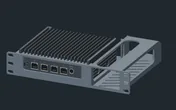
Without the carrier, the 10i hex shelf takes the VP2420 flat in 2U or upright in 4U, both at 154 mm deep, and both fit every rack. The carrier is the tighter fit: half a unit less than the flat shelf and with the front ports presented cleanly.
On a four-unit T0, the carrier’s 1.5U leaves more room for a switch and a keystone row than the 2U flat shelf does.
Power
Protectli’s datasheet gives 24 W as the maximum. No idle figure is published, so the catalogue budgets the full 24 W rather than guessing a lower number. The 12 V DC power supply’s own rating is not used as consumption.
For rack planning, 24 W is modest: comfortably within what a small rack power strip handles alongside a switch and a mini PC. The chassis is fanless aluminium, so it relies on air moving past the case. Leave a gap above it on the shelf rather than stacking hot devices directly on top.
Networking and cabling
All four 2.5 GbE ports, labelled LAN 1 to LAN 4, face the front of the rack. None is hard-wired as WAN: you assign the roles in OPNsense, pfSense CE or whichever system you install.
- WAN: the ISP line typically enters through a rear keystone. A short patch from that keystone’s front socket to the port you assigned as WAN keeps the incoming line tidy.
- LAN: patch the remaining ports to front keystones or straight to front-facing ports on the switch, ideally a 2.5 GbE switch so the extra speed is not wasted.
The micro-USB serial console is your way back in when a rule change cuts off web access. Keep a micro-USB cable within reach of the rack.
How it differs from the VP6630 and FW6A
| VP2420 | VP6630 | FW6A | |
|---|---|---|---|
| CPU | Celeron J6412, 4 cores | Core i3-1215U, 6 cores / 8 threads | Celeron 3867U, 2 cores / 2 threads |
| Ethernet | 4 × 2.5 GbE | 4 × 2.5 GbE + 2 × 10G SFP+ | 6 × 1 GbE |
| Memory | up to 32 GB | up to 96 GB | up to 64 GB |
| Cooling | Fanless | Heatsink with active fan | Fanless |
| Power | 24 W max | 12 W idle; 100 W max | 35 W max |
| Rack | 1.5U carrier | 2U carrier | 2U keystone carrier |
The VP6630 is the step up for 10G and heavier virtualization, at the cost of a fan and much higher maximum draw. The FW6A has more ports but only Gigabit, and two cores. The VP2420 sits between them: multi-gig, fanless and the smallest footprint of the three.
Full specifications
Plan it
Open the Protectli VP2420 in the catalogue to drop it into a rack plan on its carrier or a hex shelf.
Need 10G? Read the VP6630 guide. Want six ports and a carrier with keystones built in? The FW6A guide covers it.
Sources
Related guides
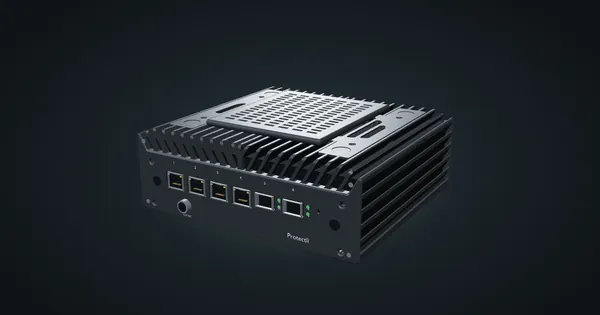
Protectli Vault Pro VP6630 in a 10-inch rack
Protectli VP6630 in a 10-inch rack: a Core i3 firewall with four 2.5 GbE ports and two 10G SFP+ cages, in a 2U carrier or on the hex shelf.

Protectli Vault FW6A in a 10-inch rack
Protectli Vault FW6A in a 10-inch rack: a fanless six-port Gigabit firewall in a 2U carrier with five keystones, or flat on the hex shelf.
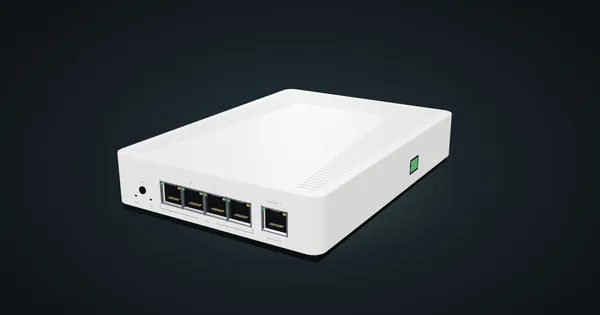
MikroTik CRS304-4XG-IN in a 10-inch rack
MikroTik CRS304-4XG-IN in a 10-inch rack: four 10G RJ45 jacks, a PoE-in management port, RouterOS v7, no fan, flat on the hex shelf in 1U.