Protectli Vault FW6A in a 10-inch rack
Protectli Vault FW6A in a 10-inch rack: a fanless six-port Gigabit firewall in a 2U carrier with five keystones, or flat on the hex shelf.


On this page
The Vault FW6A is Protectli’s six-port Gigabit firewall: a fanless aluminium box with a dual-core Celeron that supports AES-NI. It suits anyone who wants lots of physically separate network segments on one quiet OPNsense or pfSense CE box, and it has a community carrier that brings its own keystone row.
At a glance
| Processor | Intel Celeron 3867U, 2 cores / 2 threads, 1.8 GHz, AES-NI |
| Memory | 2 × DDR4-2133 SO-DIMM, up to 64 GB |
| Storage | 1 × mSATA; optional internal 2.5-inch SATA SSD |
| Ethernet | 6 × Intel 1 GbE RJ45, front-facing |
| Console | RJ-45 COM serial |
| Power | 12 V DC, 35 W max; 40 W adapter included |
| Size and weight | 155 × 127 × 50 mm, 1.0 kg |
Where it fits in a mini rack
Six ports is the selling point. A WAN plus five separate networks (servers, IoT, guests, management, a lab) can each get their own physical port instead of sharing a VLAN trunk. For a homelab that wants clear, auditable separation, or a small office with a few distinct segments, that layout is easy to reason about.
Protectli offers an optional factory install of OPNsense, OpenWrt, Ubuntu Desktop/Server or XCP-ng, and lists user-installable x86 systems including pfSense CE, Proxmox VE, ESXi, FreeBSD, OpenBSD, Debian and Windows. Firmware is AMI BIOS or coreboot. AES-NI lets the CPU accelerate AES encryption, which helps when the firewall also terminates VPN tunnels.
What it is not: a multi-gig gateway. Every port is Gigabit, and two cores are sized for routing and filtering rather than a pile of VMs. For a faster line, look at its Vault Pro siblings.
How it fits a 10-inch rack
The catalogue offers a dedicated carrier and two shelf placements:
The community Protectli FW6A/B/C 2U carrier is the neat option: 2U, only 130 mm deep, and it fits all six RackMate frames. In addition to the firewall bay it has five keystone openings, so the same 2U holds the firewall and a small patch field.
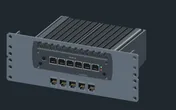
Without the carrier, the 10i hex shelf takes the FW6A flat in 2U or upright in 4U, both 154 mm deep, in every rack. Flat on the shelf costs the same 2U as the carrier but loses the keystones, so the carrier wins unless you cannot print it.
The catalogue notes that the FW6A slides into the carrier as a snug press fit and that physical fit is not certified. Check your print tolerances before committing.
Power
Protectli’s datasheet gives 35 W as the maximum. Idle is not published, so the catalogue budgets the full 35 W. The included 40 W adapter is the supply’s rating, not the device’s draw.
For a fanless firewall, 35 W is a sensible ceiling to plan around. The aluminium case is the heatsink, so give it open air on the shelf or in the carrier and avoid stacking another warm device on top. The DC 12 V input sits on the rear, so leave space behind the rack for the adapter’s plug.
Networking and cabling
The six Gigabit ports, ETH0 to ETH5, are on the front face. The catalogue assumes left-to-right numbering, so confirm the labels on the case before patching. Nothing is hard-wired as WAN; you assign roles in the firewall OS.
This is where the keystone carrier pays off. Fill its five openings with RJ45 keystone couplers and cabling becomes:
- WAN: the ISP line enters through a rear keystone. A short patch from that keystone’s front socket to the WAN port keeps the incoming line inside the rack.
- LAN: other cables arrive at the rear of further keystones, and short front patches join them to the remaining ports.
- Switch: any port can also go straight to a front-facing switch port in the same rack.
The rear also carries the RJ-45 COM console, HDMI and two dual USB 3.2 stacks. The COM port is serial, not Ethernet: keep it off the network patching.
How it differs from the VP2420 and VP6630
| FW6A | VP2420 | VP6630 | |
|---|---|---|---|
| CPU | Celeron 3867U, 2 cores / 2 threads | Celeron J6412, 4 cores | Core i3-1215U, 6 cores / 8 threads |
| Ethernet | 6 × 1 GbE | 4 × 2.5 GbE | 4 × 2.5 GbE + 2 × 10G SFP+ |
| Memory | up to 64 GB | up to 32 GB | up to 96 GB |
| Cooling | Fanless | Fanless | Active fan |
| Power | 35 W max | 24 W max | 12 W idle; 100 W max |
| Rack | 2U keystone carrier | 1.5U carrier | 2U carrier |
The VP2420 gives you multi-gig on fewer ports in a smaller carrier. The VP6630 adds SFP+ and far more CPU, with a fan. The FW6A is the port-count choice, and the only one whose carrier doubles as a patch panel.
Full specifications
Plan it
Open the Protectli FW6A in the catalogue to place it in a rack plan with its keystone carrier, or start from a community build:
For multi-gig, read the VP2420 guide or the VP6630 guide. For the couplers that fill the carrier, see the shielded keystone coupler guide.
Sources
Related guides
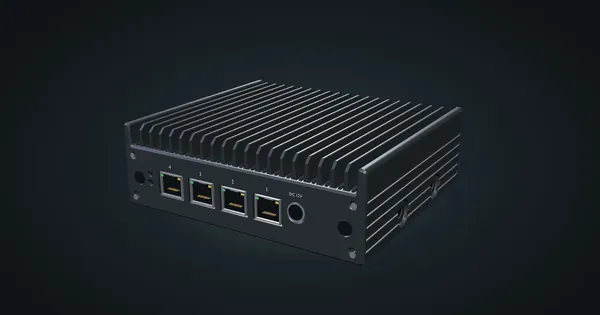
Protectli Vault Pro VP2420 in a 10-inch rack
Protectli VP2420 in a 10-inch rack: a fanless four-port 2.5 GbE firewall for OPNsense or pfSense CE, on a 1.5U carrier or the hex shelf.
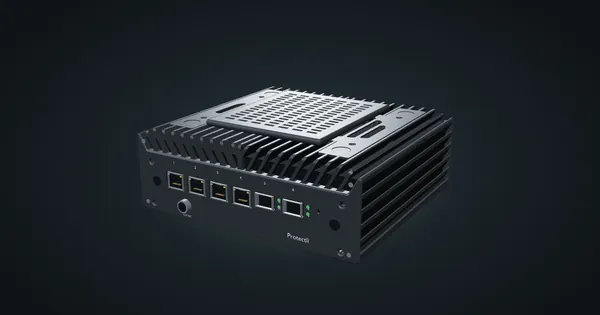
Protectli Vault Pro VP6630 in a 10-inch rack
Protectli VP6630 in a 10-inch rack: a Core i3 firewall with four 2.5 GbE ports and two 10G SFP+ cages, in a 2U carrier or on the hex shelf.
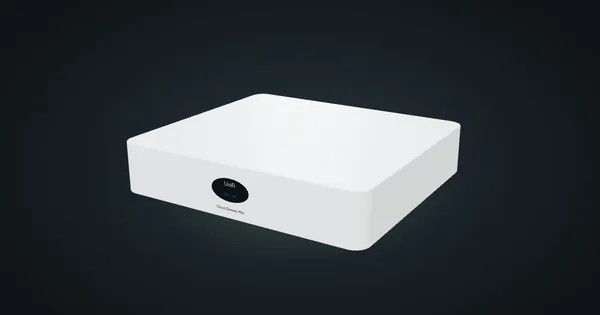
Ubiquiti UniFi Cloud Gateway Max in a 10-inch rack
UniFi Cloud Gateway Max in a 10-inch rack: five rear 2.5 GbE ports, UniFi OS and 2.3 Gbps IDS/IPS, flat on the hex shelf in 1U.