Shielded RJ45 keystone coupler in a 10-inch rack
How a shielded Cat 6A RJ45 keystone coupler bridges the front and rear of a 10-inch rack: eight mounts with slots, PoE pass-through and cabling.

On this page
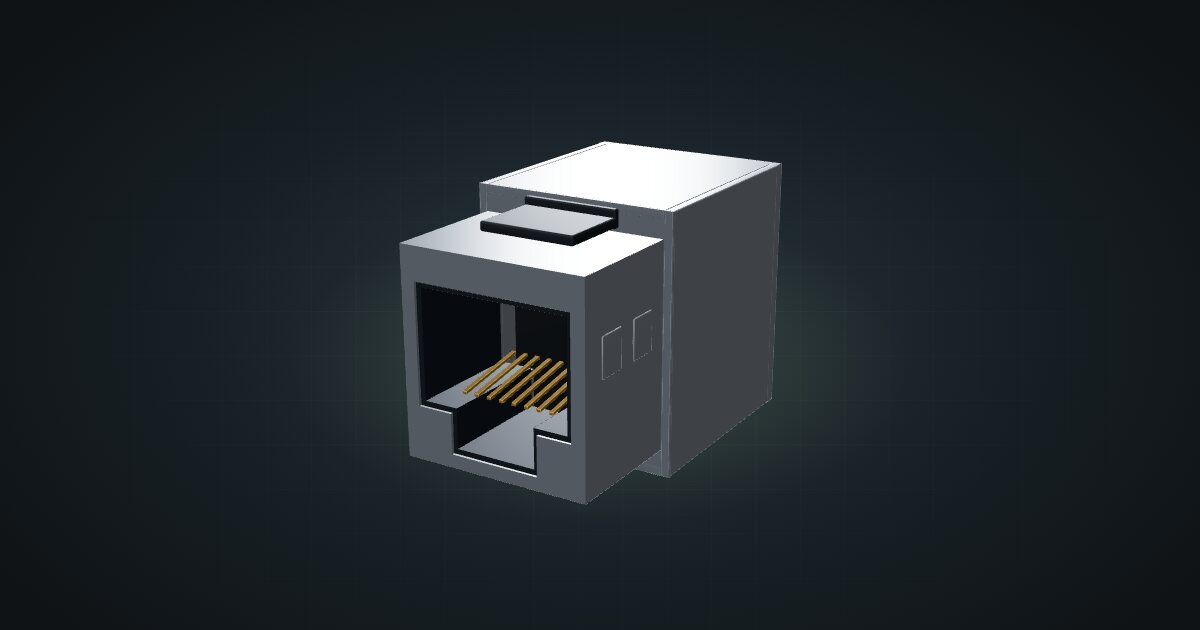
A keystone coupler is the least glamorous part in a rack and one of the most useful. It is two RJ45 jacks wired 1:1 in a snap-in housing: plug a patch cable in at the front and the signal comes out at the back. This catalogue entry is a generic shielded coupler, and it suits anyone who wants short, tidy patching at the front and a fixed point where cables leave the rack.
At a glance
The catalogue entry is generic, so these values come from representative shielded parts, not from one specific product.
| Connector | 2 × RJ45 (8P8C) jack, wired 1:1 |
| Category | Cat 6A / Class EA, up to 500 MHz, rated for 10GBASE-T |
| Shielding | 360° shield coverage, nickel-plated zinc die-cast housing |
| PoE pass-through | IEEE 802.3af / 802.3at |
| Form factor | Snap-in module for 19.2 × 14.9 mm keystone openings |
| Size | 16.1 × 29.8 × 19.5 mm (W × D × H) |
| Operating temperature | −20 to 70 °C |
Where it fits in a mini rack
The coupler’s job is to turn a messy cable problem into two short, predictable ones. On the front, a short patch cable runs from a device to the keystone. On the back, a longer cable runs from the keystone to wherever it needs to go: a rear-facing port inside the rack, a wall socket, another room. When you swap a device, only the front patch changes; the permanent run behind stays put.
That makes it the backbone of three common setups:
- A patch panel at the top or bottom of the rack, so every cable that leaves the rack does so through one labelled row.
- Keystone slots beside a device, where a carrier mount holds a switch, a mini PC or a KVM together with a keystone or two for its uplinks.
- A clean front for a travel or desk rack, where nothing should dangle out of the back while the rack is moved.
The shielded version makes most sense when the cable behind it is shielded as well, because shielding only helps when it runs end to end. The Cat 6A rating on the representative part also leaves headroom for multi-gig copper later.
What it is not: a switch, a surge protector or a way to add ports. Every coupler is one more joint in the link, so use one where a cable genuinely changes from patch to permanent run, not as an extension lead.
How it fits a 10-inch rack
The coupler itself is tiny. What matters is the carrier it snaps into, and the configurator checks each of them against every rack in the catalogue:
Every carrier fits every RackMate frame, from the T0 and T1 at 200 mm deep to the Plus frames and the T2 at 260 mm. The dedicated option is the 10-port keystone patch panel: 1U, 10 bays and only 29 mm deep, so it sits anywhere without stealing depth from the gear behind it.
The other seven are device carriers with keystone slots built in. All eight:
Rack height: 1U · Depth: 29.4 mm · Mounting: 3D-printed 1U carrier
Details & sources →
Rack height: 1U · Depth: 33 mm · Mounting: 3D-printed 1U carrier
Details & sources →
Rack height: 1U · Depth: 92 mm · Mounting: 3D-printed 1U combined carrier
Details & sources →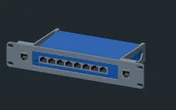
Rack height: 1U · Depth: 105.3 mm · Mounting: 3D-printed 1U carrier
Details & sources →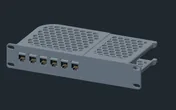
Rack height: 1U · Depth: 119.5 mm · Mounting: 3D-printed 1U tray · keystone panel
Details & sources →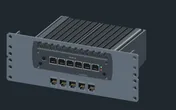
Rack height: 2U · Depth: 130.1 mm · Mounting: 3D-printed carrier
Details & sources →
Rack height: 1.5U · Depth: 135 mm · Mounting: 3D-printed 1.5U carrier
Details & sources →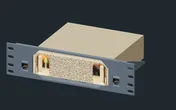
Rack height: 1.5U · Depth: 154 mm · Mounting: 3D-printed 1.5U carrier
Details & sources →- JetKVM + keystone mount: 1U with 2 bays, 33 mm deep.
- Raspberry Pi + JetKVM mount: 1U, 92 mm deep, with a keystone beside the Pi and the JetKVM.
- NETGEAR GS108 + 2 keystones: 1U with 2 bays, 105 mm deep.
- UCG-Fiber PSU tray: 1U with 6 bays, 120 mm deep.
- Protectli FW6 carrier: 2U with 5 bays, 130 mm deep.
- Mac mini M4 + keystone mount: 1.5U, 135 mm deep.
- GX10 / DGX Spark mount: 1.5U with 2 bays, 154 mm deep.
There is no shelf or floor placement, and that is deliberate: a keystone only works when it is clipped into a keystone opening.
Count keystones the way you count switch ports: one for every cable that has to cross from the front of the rack to the back or out of it. The 10-port panel covers most small racks in a single unit.
Power
None. The coupler is passive, so the catalogue counts 0 W at both ends. When PoE passes through it, the load belongs to the powered device on the far end and to the switch feeding it, so it does not need its own line in your power budget.
The representative part is listed for IEEE 802.3af and 802.3at pass-through. If you plan to push more than that through your patching, check the rating of the exact coupler you buy.
Cabling through the keystone
The catalogue models the coupler with one front port and one rear port, and that is the whole idea: the keystone is the bridge between the front and the back of the rack.
- Front: a device port that faces the front of the rack gets a short patch cable to the front of a keystone. A front-facing switch port patches the same way.
- Rear: the rear of the keystone runs to a rear-facing port inside the rack, or out of the rack to the rest of the network.
- Never around the rack: a cable that has to get from front to back goes through a keystone, not over the top or down the side of the frame.
For planning, the configurator treats the front side as a Gigabit link. The representative Cat 6A part is rated for 10GBASE-T, so if you run multi-gig copper, buy a coupler with a matching category rating and keep the cable category the same on both sides.
Full specifications
Plan it
Open the shielded RJ45 keystone coupler in the catalogue to drop it into any of the carriers above, or start from a community build that already patches through keystones:
Several devices have carriers with keystone slots built in: the JetKVM guide, the NETGEAR GS108 guide and the Protectli FW6A guide cover three of them.
Sources
Related guides

JetKVM in a 10-inch rack
JetKVM in a 10-inch rack: KVM-over-IP for the machine beside it, three printable combo mounts, a rear 100 Mbps port and a tiny power budget.

Protectli Vault FW6A in a 10-inch rack
Protectli Vault FW6A in a 10-inch rack: a fanless six-port Gigabit firewall in a 2U carrier with five keystones, or flat on the hex shelf.
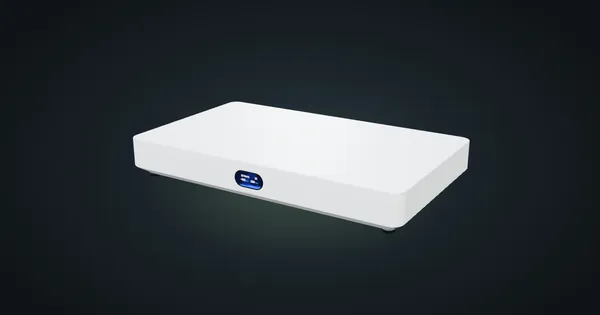
Ubiquiti UniFi Cloud Gateway Fiber in a 10-inch rack
UniFi Cloud Gateway Fiber in a 10-inch rack: 10 GbE and two SFP+ WAN/LAN options on the rear, a 1U community tray and 5 Gbps IDS/IPS.