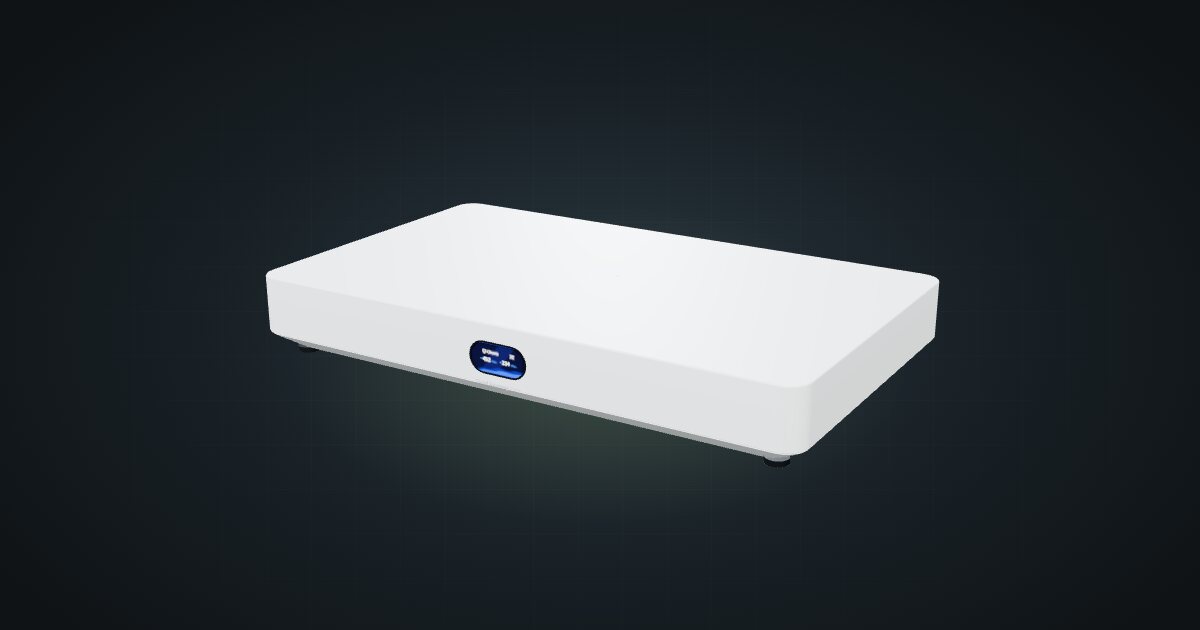
Ubiquiti UniFi Cloud Gateway Fiber in a 10-inch rack
UniFi Cloud Gateway Fiber in a 10-inch rack: 10 GbE and two SFP+ WAN/LAN options on the rear, a 1U community tray and 5 Gbps IDS/IPS.

On this page
The UniFi Cloud Gateway Fiber is Ubiquiti’s compact 10G gateway: UniFi OS, a 10 GbE RJ45 port, two SFP+ cages and four 2.5 GbE ports in a desktop case. It suits UniFi racks with a multi-gig or fibre internet line and a 10G core, and the community has already printed a 1U tray for it.
At a glance
| Processor | Quad-core Arm Cortex-A73, 2.2 GHz |
| Memory and storage | 3 GB; optional NVMe SSD up to 2 TB for NVR |
| Ethernet | 4 × 2.5 GbE RJ45 (port 4 PoE+ out) + 1 × 10 GbE RJ45 |
| SFP+ | 2 × 10G SFP+ |
| IDS/IPS throughput | 5 Gbps |
| Power | 54 V DC / 1.1 A adapter; 29.4 W max excluding PoE output |
| Size and weight | 212.8 × 127.6 × 30 mm, 675 g (734 g with SSD) |
Where it fits in a mini rack
This is the gateway for a rack that has outgrown 2.5 GbE. The default WAN ports are port 5, the 10 GbE RJ45, and port 7, an SFP+ cage, so a fast copper hand-off and a fibre module both have a home, and the gateway supports up to 6 WAN ports in total. Port 6, the second SFP+ cage, makes a 10G link into the rack.
It runs the same UniFi OS stack as the smaller gateways: UniFi Network, Protect, Access, Talk and Connect, with management over Ethernet or Bluetooth. Ubiquiti quotes 5 Gbps of IDS/IPS throughput. Add an NVMe SSD, up to 2 TB, and Protect records cameras locally. Port 4 delivers PoE+ with a 30 W budget, for one powered device such as an access point or camera, without a PoE switch.
What it is not: a mixed-vendor router or a flat-on-the-shelf box. It is at its best inside a UniFi network, and its width rules out the plain hex shelf placement.
How it fits a 10-inch rack
At 212.8 mm wide, the case is wider than the 206.25 mm hex shelf deck. The catalogue shows what that means:
- UniFi UCG-Fiber 1U tray: 1U, 131 mm deep, fits all six RackMate frames. Its 213.5 mm inner width takes the gateway flat, the status display shows through the faceplate, and the rear stays open for the ports.
- Upright on the 10i hex shelf, 5U at 154 mm deep: fits the RackMate T1/2 Plus, T1, T1 Plus and T2; blocked in the four-unit T0 and T0 Plus, not enough units.
- Flat on the hex shelf, 1U: blocked in every rack. Wider than the shelf.
The tray is the clear winner: 1U instead of 5U, and it works in the RackMate T0. The same creator also made a 1U companion tray with six keystone slots and a bay for the gateway’s power adapter.
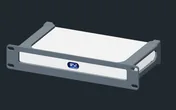
Rack height: 1U · Depth: 129.8 mm · Mounting: 3D-printed 1U tray
Details & sources →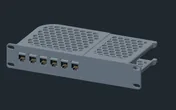
Rack height: 1U · Depth: 119.5 mm · Mounting: 3D-printed 1U tray · keystone panel
Details & sources →Power
Ubiquiti lists 29.4 W maximum, excluding PoE output, and the catalogue budgets that figure. Idle is not published. The 54 V / 1.1 A adapter rating describes the supply, not the device’s draw.
If port 4 powers something, that device can use up to the 30 W PoE+ budget. Count it once, on the powered device’s own line in your rack plan, not again on the gateway. The adapter needs a home too: the companion PSU tray puts it in the rack instead of on the floor.
Networking and cabling
All seven ports are on the rear face: ports 1 to 4 at 2.5 GbE, port 5 at 10 GbE, and the two SFP+ cages, ports 6 and 7.
- WAN: front-port routers take the ISP line through a rear keystone and a short front patch. Here the WAN ports are already at the back, where the line typically arrives: a copper line goes straight into port 5, a fibre line into an optical module in port 7.
- LAN, copper: patch each 2.5 GbE port to the rear socket of a keystone coupler, for example in the PSU tray’s keystone row. The keystone’s front socket then presents the link at the front for a short patch to a front-facing switch port. The representative coupler is rated for 802.3af/at pass-through, so the PoE+ port can run through a keystone.
- LAN, SFP+: port 6 takes a DAC cable or an optical module. Keep it on the rear side, for example to a rear-facing SFP+ cage on a server such as the Minisforum MS-A2. A DAC cannot pass a keystone, and it should never loop around the frame.
Put the 1U gateway tray and the 1U PSU tray in adjacent units. The copper ports then have keystones close by, and the adapter cable stays short.
How it differs from the Cloud Gateway Max
The UniFi Cloud Gateway Max runs the same UniFi OS apps with the same 3 GB of memory and optional 2 TB NVMe, in a smaller case. It has 5 × 2.5 GbE and nothing faster, a quad-core Cortex-A53 at 1.5 GHz, 2.3 Gbps of IDS/IPS throughput, no PoE output listed, and USB-C power at 5 V / 5 A with a 16.1 W maximum.
At 141.8 mm wide, the Max lies flat on the hex shelf in 1U with no special mount. The Fiber needs its tray. If your line and core stay at 2.5 GbE, the Max is enough; for 10G and fibre WAN, it is the Fiber.
Full specifications
Plan it
Open the UniFi Cloud Gateway Fiber in the catalogue to place it in its tray in a rack plan, or start from a community build:
For the 2.5 GbE sibling, read the Cloud Gateway Max guide. For the server at the other end of the SFP+ link, see the Minisforum MS-A2 guide.
Sources
Related guides
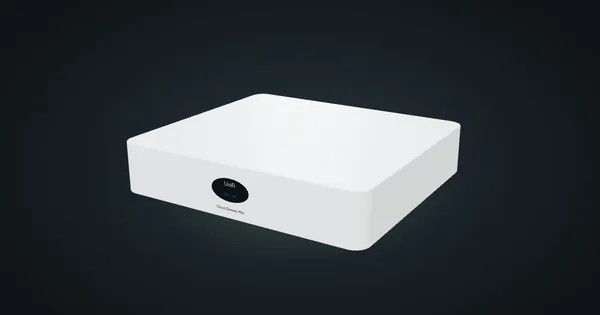
Ubiquiti UniFi Cloud Gateway Max in a 10-inch rack
UniFi Cloud Gateway Max in a 10-inch rack: five rear 2.5 GbE ports, UniFi OS and 2.3 Gbps IDS/IPS, flat on the hex shelf in 1U.
Minisforum MS-01 in a 10-inch rack
How the Minisforum MS-01 fits a 10-inch rack: two 10G SFP+ cages, two 2.5 GbE ports, three M.2 SSDs, a PCIe slot and 2U flat on the hex shelf.
Minisforum MS-A2 in a 10-inch rack
How the Minisforum MS-A2 fits a 10-inch rack: a 16-core Ryzen 9 9955HX, two 10G SFP+ cages, two 2.5 GbE ports and 2U flat on the hex shelf.