MikroTik CRS305-1G-4S+IN in a 10-inch rack
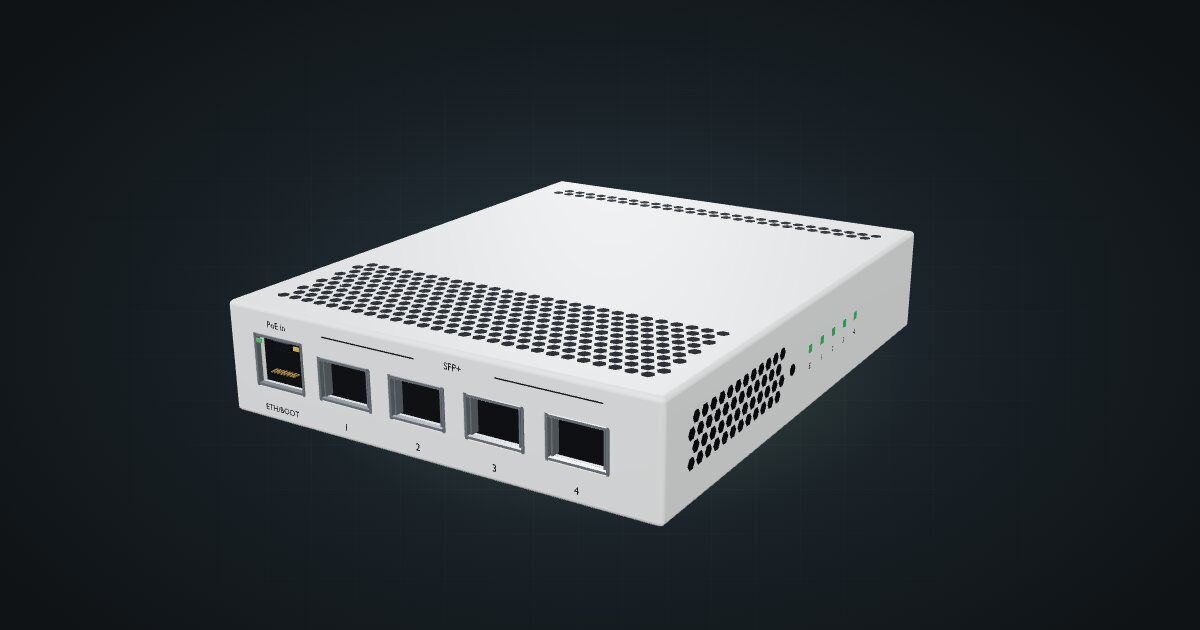
MikroTik CRS305-1G-4S+IN in a 10-inch rack: four SFP+ cages, PoE-in, RouterOS or SwOS, no fan, and a community 1U tray only 144 mm deep.

On this page
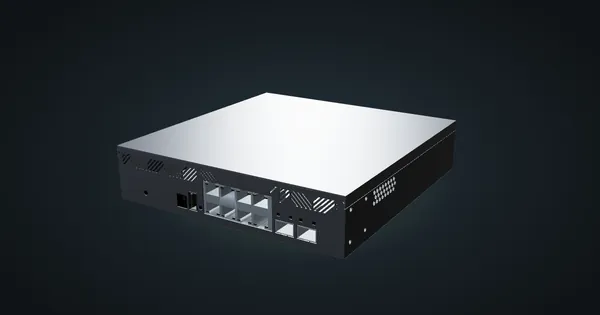
The CRS305-1G-4S+IN is the smallest way into 10G: four SFP+ cages and one Gigabit port in a fanless box of 115 × 141 × 28 mm. It dual-boots RouterOS and SwOS, can run from PoE, and has its own community-made 1U tray, which makes it the easiest of MikroTik’s small 10G switches to rack neatly. It suits a handful of fast hosts on DAC or fibre; it is not a switch for a room full of copper clients.
At a glance
| Processor | Marvell 98DX3236, dual-core ARM 32-bit at 800 MHz |
| Memory and storage | 512 MB RAM, 16 MB flash |
| Ports | 4 × 10G SFP+, 1 × Gigabit RJ45 with 802.3af/at PoE input |
| Switching capacity | 82 Gbps non-blocking (L1) |
| Software | RouterOS / SwOS dual boot |
| Power | 2 × 12–57 V DC jacks or PoE input, 18 W max |
| Cooling | Passive, fanless metal enclosure |
Where it fits in a mini rack
Four 10G hosts, or three plus an uplink. The classic layout is a NAS, a virtualization host and a desktop or second switch on the SFP+ cages, with the Gigabit port as the link to the rest of the home network or as a dedicated management port. With 82 Gbps of non-blocking switching capacity, all five ports can run at line rate together.
The dual boot is useful in practice. SwOS gives you a simple browser-managed switch; RouterOS gives you the full MikroTik toolbox. The CPU is a dual-core 800 MHz ARM chip, there to manage the switch, not to route traffic at 10G.
Because the Gigabit port accepts 802.3af/at PoE, the switch can hang off an existing PoE switch with no adapter at all. In a tidy rack, that means one less power brick on the floor.
What it is not: a copper switch. Hosts with RJ45 10G NICs need copper SFP+ modules, and those push the power figure towards the top of its range inside a fanless case. If most of your fast hosts are copper, the CRS304 below is the better fit.
How it fits a 10-inch rack
The CRS305 is small enough to fit everywhere, and the configurator agrees:
All three placements fit all six RackMate frames:
- MikroTik CRS305 1U tray: 1U, 144 mm deep.
- 10i hex shelf, flat: 1U, 154 mm deep.
- 10i hex shelf, upright: 3U, 154 mm deep.
The tray is the one to pick. It holds the switch in 1U at 144 mm, shallower than the shelf, which leaves room behind it in even the 200 mm-deep T0 and T1. That room matters: both DC inputs sit at the back of the switch.
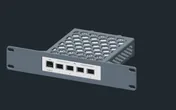
The tray is a printable design by Maurício Pessoa (Mauker), shared under CC BY-NC-SA. If you would rather not print, the 10i hex shelf takes the switch flat in 1U too. Upright on the shelf costs 3U and gains nothing for a switch this size.
Power
MikroTik’s figures are 10 W maximum without attachments and up to 18 W with them. Neither is idle draw, and idle isn’t published. The attachments are mostly the SFP+ modules, and what they draw depends on the modules you install: DAC cables sit at the frugal end, copper RJ45 modules at the hungry end. Budget the full 18 W per switch; the lower figure leaves out exactly the modules you bought it for.
Power comes in through either of two 12–57 V DC jacks, or over PoE on the Gigabit port (802.3af/at). Two jacks let you feed it from two supplies for redundancy.
Fanless and copper SFP+ modules are a warm pairing. The CRS305 is rated for a tested ambient range of -40 to 70 °C, but the case is the only heatsink. If a host has only RJ45 10G, consider the CRS304 instead of filling this switch with copper modules.
Networking and cabling
Every network port faces the front: the Gigabit RJ45 jack (labelled ETH / BOOT, with PoE in) and SFP+ cages 1 to 4. Patch the copper port to a front keystone or a front-facing switch port. The SFP+ cages take DAC cables or optical modules; in a 10-inch rack, short DACs are the neat and frugal default.
The DC leads plug in at the rear. Put the supply behind the switch, inside the frame, and keep every cable inside the rack rather than routing it around the outside.
How it differs from the CRS304-4XG-IN
The CRS304-4XG-IN is the copper counterpart: same idea of four fast ports, different media.
- Ports. Four SFP+ cages here; four 1/2.5/5/10G RJ45 jacks on the CRS304, plus a Gigabit MGMT/BOOT port. No modules to buy for copper hosts there, no DAC or optics option either.
- Software. RouterOS or SwOS dual boot here; RouterOS v7 only on the CRS304, with a level 5 license.
- Processor. A dual-core ARM 32-bit CPU at 800 MHz here; a dual-core ARM64 chip at 1.2 GHz on the CRS304. Both have 512 MB of RAM.
- Switching capacity. 82 Gbps versus 80 Gbps.
- Power. 10 W without attachments and 18 W maximum here; 15 W and 21 W on the CRS304. The CRS304 takes 12–57 V on two DC jacks and a 2-pin terminal, or PoE in at 36–57 V, and ships with a 48 V adapter.
- Fit. Both sit flat on the hex shelf in 1U, and both are fanless. The CRS305 also has its dedicated 1U tray; the CRS304 has no dedicated mount and sits at 180 mm deep on the shelf.
Full specifications
Plan it
Open the CRS305-1G-4S+IN in the catalogue to add it to a rack plan, and pair it with the CRS305 1U tray for the cleanest fit.
For the rest of the family, the CRS304 guide covers the copper 10G switch, and the CRS310-1G-5S-4S+IN guide covers the larger sibling with four SFP+ and five SFP cages.
Sources
Related guides
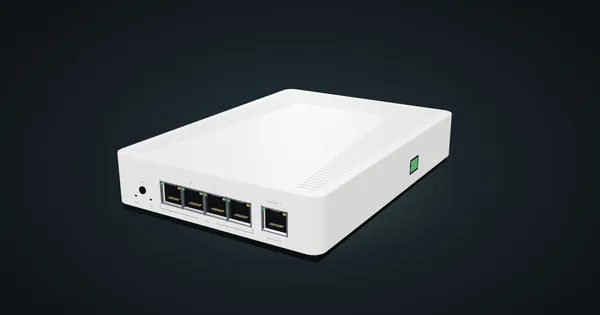
MikroTik CRS304-4XG-IN in a 10-inch rack
MikroTik CRS304-4XG-IN in a 10-inch rack: four 10G RJ45 jacks, a PoE-in management port, RouterOS v7, no fan, flat on the hex shelf in 1U.
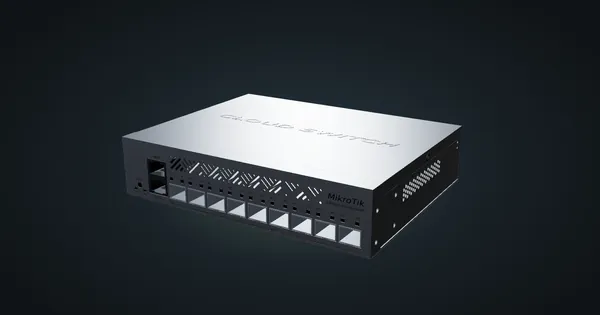
MikroTik CRS310-1G-5S-4S+IN in a 10-inch rack
MikroTik CRS310-1G-5S-4S+IN in a 10-inch rack: four SFP+ and five SFP cages, one Gigabit port, RouterOS v7 and a 2U hex shelf placement.
MikroTik CRS310-8G+2S+IN in a 10-inch rack
MikroTik CRS310-8G+2S+IN: eight 2.5 GbE ports, two SFP+ cages and RouterOS v7, but too deep for the hex shelf in any RackMate frame today.