ATX power supply in a 10-inch rack
Fitting a standard ATX power supply in a 10-inch rack: the 2U PSU shelf, ATX12V dimensions, AC input ranges and how to budget its power honestly.

On this page
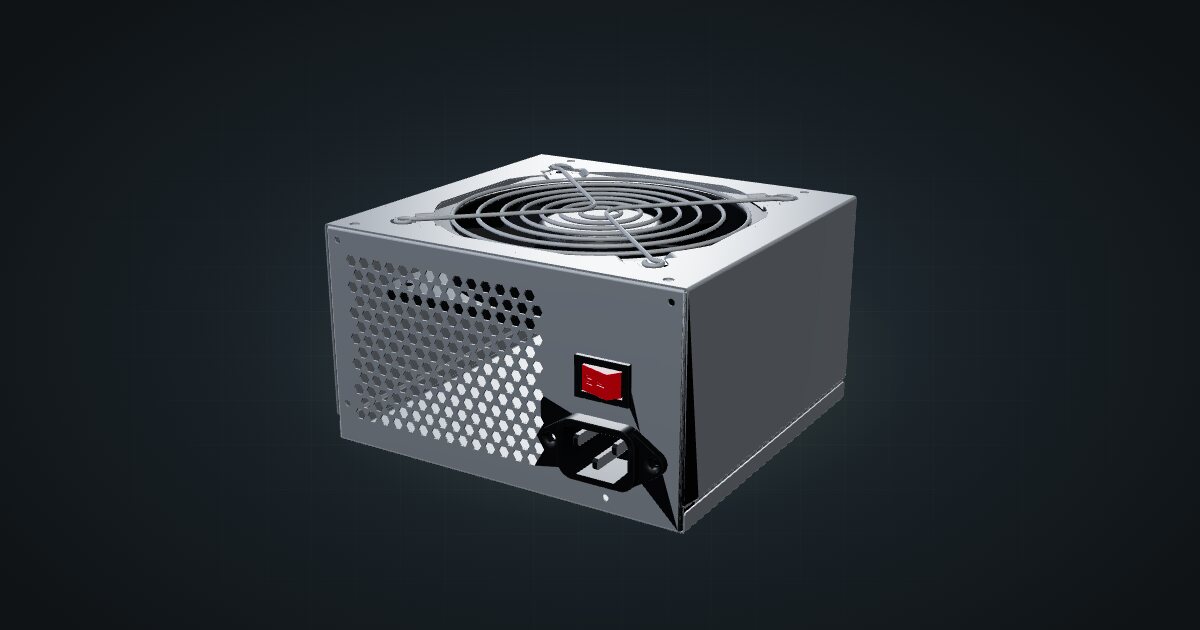
Most mini-rack power arrives in a brick or a USB-C cable. A standard ATX power supply is what you need when the rack holds a real desktop board, such as a Mini-ITX build. The catalogue entry is deliberately generic: no brand and no wattage, just the ATX shape, so you can plan the space before you choose the unit.
At a glance
| Form factor | ATX12V (Intel ATX 3 PSU design guide, ATX12V guidelines 3.1) |
| Reference size | 150 × 140 × 86 mm (W × D × H) |
| Catalogue model | 150 × 152 × 86.4 mm |
| AC input | 90–135 V or 180–265 V AC, 47–63 Hz |
| DC outputs | +12 V, +5 V, +3.3 V, +5 VSB; −12 V optional |
| Main connector | 24-pin (Mini-Fit Jr. or equivalent) |
| Mounting | 4 × No. 6-32 UNC-2B threaded holes on the rear face |
The values in this guide come from Intel’s design guide, so they describe the standard rather than any one product. Wattage, efficiency rating and exact length depend on the unit you buy.
Where it fits in a mini rack
An ATX supply belongs in the rack when you build a computer from parts. A Mini-ITX board like the Gigabyte X870I AORUS PRO ICE takes a 24-pin ATX main connector and an 8-pin ATX 12 V connector, and nothing in the usual mini-rack power box provides those. Pair the supply with a board, a CPU cooler and drives, and you have a desktop-class server in a 10-inch frame.
It is the bulky option. A full ATX unit takes two rack units on its own, so it only earns its place when the build needs desktop power: a fast CPU, an expansion card, several drives.
What it is not: a power hub for the rest of the rack. Its DC outputs go to a motherboard and the drives connected to it, not to the barrel jacks and USB-C inputs of mini PCs, switches and single-board computers. Those keep their own adapters or a dedicated power strip.
How it fits a 10-inch rack
The configurator places the supply in one dedicated carrier:
The ATX PSU shelf is a 2U carrier at 156 mm deep. It fits every RackMate frame, including the T0 and T1 at 200 mm deep, and the Plus frames and T2 at 260 mm. The shelf comes with a removable front blank.
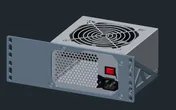
The dimensions deserve a closer look. The ATX12V reference envelope is 150 × 140 × 86 mm. The catalogue model is longer, 152 mm deep, so the fit check already allows a little extra length over the standard. Real supplies vary in length. Measure the supply you actually own before you print the shelf, and leave room behind it for the mains cable and the bundle of DC leads.
If the board goes on the Mini-ITX motherboard shelf, note that it is 203 mm deep and blocked in the T0 and T1, so the complete build points to a deeper frame: the T0 Plus, T1/2 Plus, T1 Plus or T2.
Power
There is no draw figure here, and that is correct. The catalogue entry has no model, no load and no efficiency, so both ends are marked unknown.
Do not add the nameplate wattage to your rack budget. The label says what the supply can deliver to the components behind it, and those components already carry their own figures. Adding the nameplate on top would count the same power twice. What the supply adds itself is its conversion loss, and that depends on the unit and the load.
The design guide gives a floor for scale: a minimum of 70% efficiency at full load, 72% at half load and 65% at 20% load, measured at 115 V. Good supplies do better, but the principle stands: budget the board, CPU, memory, drives and fans, then leave headroom for losses on top.
The ATX design guide allows input that is either auto-ranging or switch-selectable. If your supply has a voltage switch, set it for your mains before the first power-on.
Cabling
The supply has no network ports. Its cabling splits into two very different kinds:
- Mains in: the AC cord leaves the rack at the back, towards a power strip or a UPS. Keep it apart from data cables where you can.
- DC out: the 24-pin main connector and the CPU’s 12 V connector run to the board, plus any drive power. They stay inside the rack.
Modular supplies help a lot in a shallow frame: every unused cable left in the box is one fewer bundle to fold behind a 2U shelf.
Full specifications
Plan it
Open the ATX power supply in the catalogue to add it to a rack plan on its shelf, or start from a community build that already uses one:
For the rest of the build, the Gigabyte X870I AORUS PRO ICE guide covers the board and the Noctua NH-L9x65 guide covers a low-profile cooler for it.
Sources
Related guides
Gigabyte X870I AORUS PRO ICE in a 10-inch rack
Gigabyte's X870I AORUS PRO ICE Mini-ITX board in a 10-inch rack: AM5, dual-channel DDR5, 2.5 GbE, Wi-Fi 7, shelf options and power planning.
Noctua NH-L9x65 heatsink only in a 10-inch rack
Noctua's low-profile NH-L9x65 heatsink in a 10-inch rack: AM5 and LGA1851 support, fan options, height, TDP limits and its place in a Mini-ITX build.
NVIDIA Jetson Orin Nano Super Developer Kit in a 10-inch rack
The Jetson Orin Nano Super in a 10-inch rack: 67 TOPS of edge AI, 8 GB of LPDDR5, NVMe over M.2 and a 19 V supply on a 1U shelf.