Noctua NH-L9x65 heatsink only in a 10-inch rack
Noctua's low-profile NH-L9x65 heatsink in a 10-inch rack: AM5 and LGA1851 support, fan options, height, TDP limits and its place in a Mini-ITX build.

On this page
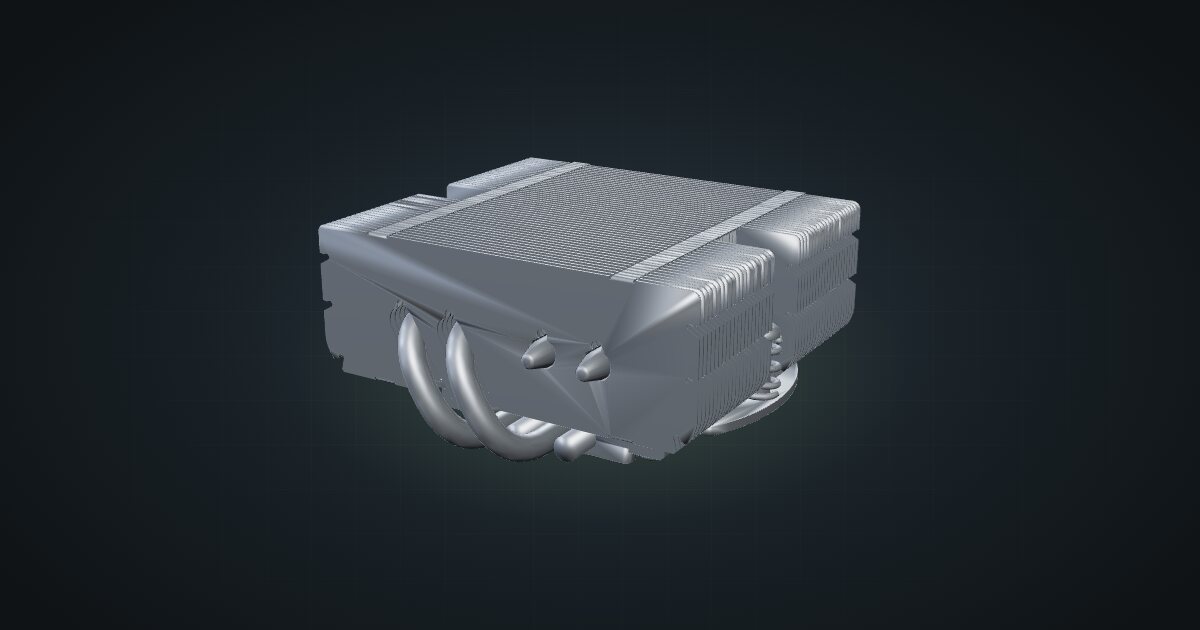
The NH-L9x65 is Noctua’s low-profile CPU cooler, and the catalogue models it as the heatsink alone: no fan and no mounting kit. It is the part you plan around when a desktop board goes into a 10-inch rack, because in a mini rack height is the constraint that decides everything. It suits quiet custom builds with CPUs that stay well clear of high power limits.
At a glance
| Type | Low-profile L-type CPU heatsink, 4 heat pipes |
| Sockets | AMD AM4, AM5; Intel LGA1851, LGA1700, LGA1200, LGA115x |
| Fans | 92 × 92 × 14 mm or 92 × 92 × 25 mm |
| Size | 95 × 95 × 51 mm (heatsink only) |
| Weight | 340 g (heatsink only) |
| Materials | Copper base and heat pipes, aluminium fins, soldered joints, nickel plating |
| TDP guidance | Not for overclocking; use with care above 100 W TDP |
Where it fits in a mini rack
A custom build in a 10-inch rack usually starts with a Mini-ITX board on a shelf. The cooler is the next decision, and it is mostly a height decision: a tower cooler that would be normal in a desktop case simply does not fit. A low-profile heatsink with a slim fan on top is the design that keeps the whole build within a couple of rack units.
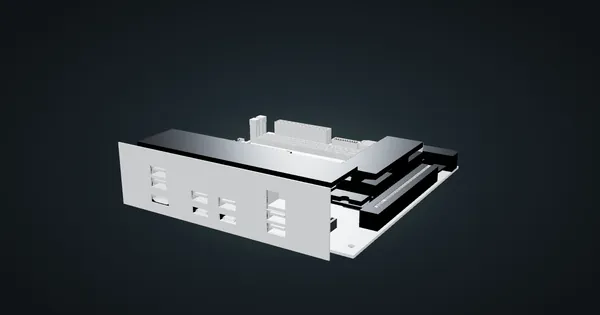
The socket list is broad. AM5 covers current AMD desktop boards such as the Gigabyte X870I AORUS PRO ICE, and the Intel list runs from LGA115x to LGA1851. That makes it a sensible default for a quiet home server, a small virtualization host or a media machine built from desktop parts.
The limits are just as clear. Noctua says it is not suitable for overclocking and asks for care with CPUs above 100 W TDP. A rack is a warmer place than an open desk, so treat that guidance as a ceiling, not a target. If the CPU you want runs hotter than that, the answer is a different CPU or a different chassis, not a bigger fan on this heatsink.
The catalogue marks motherboard compatibility as unverified. Socket support is not the same as clearance around a specific board’s memory slots, VRM heatsinks and M.2 covers, so check Noctua’s compatibility information for your exact board before you order.
How it fits a 10-inch rack
The configurator does not place the heatsink on its own:
That is expected. The heatsink is not a rack item: it mounts on the CPU, so it fits wherever the board does. There is no dedicated mount for it, and none is needed.
For the Gigabyte X870I AORUS PRO ICE, the Mini-ITX motherboard shelf is a 2U mount at 203 mm deep. It fits the T0 Plus, T1/2 Plus, T1 Plus and T2, but it is too deep for the T0 and T1. The 10i hex shelf is the fallback that fits every frame: the board lies flat in 2U or stands upright in 4U, at 175 mm deep.
Height is the number to check. The heatsink alone is 51 mm tall, and the fan sits on top of it: 14 mm for a slim fan or 25 mm for a standard one. Add both to the board and socket height, then compare the result with the space above the shelf you picked. The slim fan is usually the one that makes a low build work.
Power
The heatsink itself draws nothing. It is passive, so the catalogue counts 0 W at both ends. Cooling capacity is not electrical consumption: the CPU’s heat passes through the fins, but that heat is already counted in the CPU’s own power figure.
What you do need to budget is the fan you add. It runs from the board’s CPU fan header, and the X870I has a CPU fan header and a CPU fan/pump header for exactly that. Add the fan’s rated power to the build alongside the CPU, memory and drives.
Fans and airflow
There are no network ports and no cables on the heatsink itself. The cabling is one fan lead from the fan on top to the CPU fan header on the board.
Noctua lists two fan sizes for it: 92 × 92 × 14 mm and 92 × 92 × 25 mm. The slim fan saves height; the thicker one costs vertical space you may not have in a mini rack.
A low-profile cooler pushes air down through the fins and out to the sides, across the board. In a rack that warm air has to go somewhere. Leave the space around the board open, keep cables out of the path from the heatsink to the open rear, and consider a fan panel elsewhere in the rack if the build sits in a closed frame.
Full specifications
Plan it
Open the Noctua NH-L9x65 in the catalogue to see the model next to a board, then plan the rest of the build around it.
The Gigabyte X870I AORUS PRO ICE guide covers the AM5 board, the ATX power supply guide covers the supply that feeds it, and the Noctua NF-A4x20 guide covers a small Noctua fan for rack airflow.
Sources
Related guides
Gigabyte X870I AORUS PRO ICE in a 10-inch rack
Gigabyte's X870I AORUS PRO ICE Mini-ITX board in a 10-inch rack: AM5, dual-channel DDR5, 2.5 GbE, Wi-Fi 7, shelf options and power planning.
ATX power supply in a 10-inch rack
Fitting a standard ATX power supply in a 10-inch rack: the 2U PSU shelf, ATX12V dimensions, AC input ranges and how to budget its power honestly.
Hardkernel ODROID-XU4 in a 10-inch rack
The Hardkernel ODROID-XU4 in a 10-inch rack: eight Arm cores, 2 GB of RAM, USB 3.0 storage, one Gigabit port and shelf-only placement.