QNAP QSW-2104-2S in a 10-inch rack
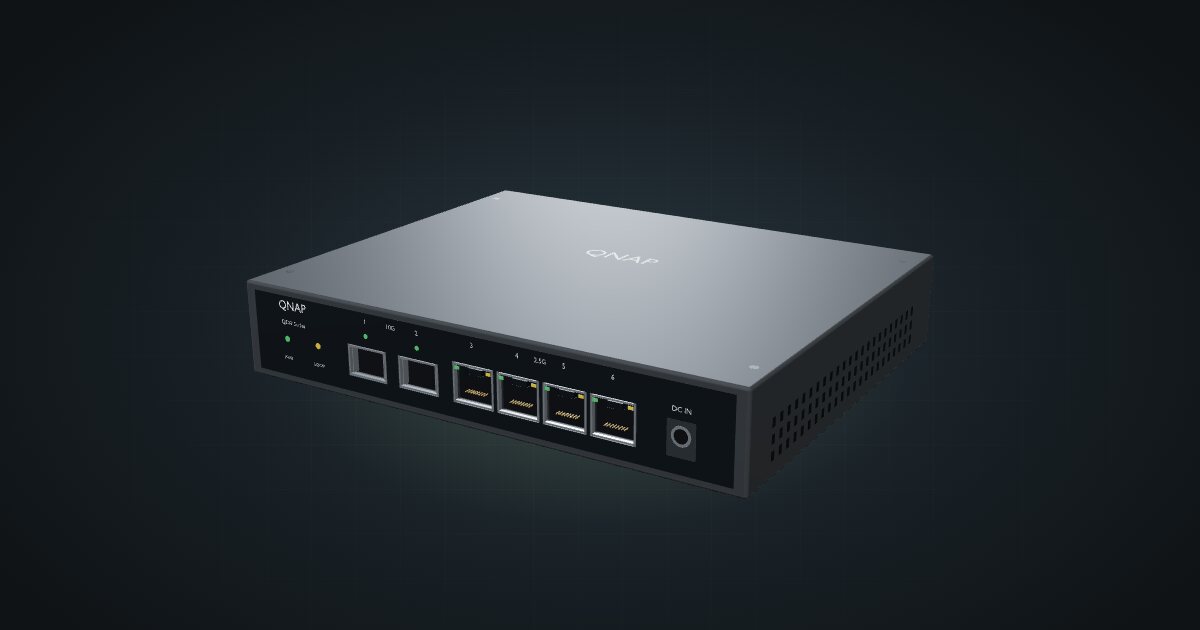
QNAP QSW-2104-2S in a 10-inch rack: unmanaged and fanless, four 2.5 GbE jacks, two 10G SFP+ cages, front DC input and a 1U hex shelf fit.

On this page
The QSW-2104-2S is the switch for people who don’t want to manage a switch: four 2.5 GbE RJ45 jacks, two 10G SFP+ cages, no fan and nothing to configure. In a 10-inch rack it sits flat on the hex shelf in 1U, which is more than the MikroTik with eight 2.5 GbE ports and the same two cages can say. It suits a flat home network with a few fast hosts; it does not suit anyone who segments their network with VLANs.
At a glance
| Ethernet | 4 × 2.5 GbE RJ45, ports 3–6 |
| Uplink | 2 × 10G SFP+, ports 1–2 |
| Switching capacity | 60 Gbps |
| Management | Unmanaged; no configurable VLAN support |
| Power | Front DC input, 12 V / 1 A, 12 W max |
| Cooling | Fanless |
| Size and weight | 180 × 145 × 34 mm, 0.713 kg |
Where it fits in a mini rack
A flat network with a handful of fast hosts is the sweet spot. Put a NAS on one SFP+ cage and the uplink to the main network on the other, and the four 2.5G jacks take mini PCs, a second NAS or a workstation. The 60 Gbps switching capacity matches all six ports running at full speed in both directions, so the switch itself shouldn’t be the bottleneck. QNAP also lists 9K jumbo frames and a MAC table of 16K entries, neither of which a homelab is likely to outgrow.
Unmanaged is the whole personality. There is no interface to learn and no settings to get wrong: plug in and it switches. The cost is control. No VLANs, no port settings, no monitoring. If your rack separates lab, IoT and home traffic, this switch can only live inside one of those networks, with a managed switch or router doing the separating upstream.
Make sure you have the right model, too. This guide covers the 2S, with SFP+ cages; QNAP also makes a 2T variant with copper uplinks instead, and the catalogue entry is not that one.
How it fits a 10-inch rack
There is no dedicated mount for the QSW-2104-2S in the catalogue, so the 10i hex shelf carries it. The configurator checks both orientations against every frame:
Flat on the shelf it takes 1U at 154 mm deep and fits all six RackMate frames; the 145 mm-deep body sits within the shelf. Upright it needs 5U, which the four-unit T0 and T0 Plus don’t have, so the upright option is limited to the T1/2 Plus, T1, T1 Plus and T2.
Flat is the clear winner: 1U, and every port plus the power input facing the front of the rack.
Power
QNAP lists 12 W as the maximum consumption. Idle isn’t published, and the real figure moves with the SFP transceivers you fit and the traffic you push. Budget 12 W in your rack plan.
Power comes in on the front through a DC input rated 12 V / 1 A. That rating describes the input, not a measured draw. It is also an unusual position: the power lead leaves the switch on the same face as the network cables.
The QSW-2104-2S is fanless and rated for an operating range of only 0 to 40 °C. A closed 10-inch rack full of mini PCs gets warm, so give the switch a shelf position away from the hottest boxes and leave its case room to breathe.
Networking and cabling
All six network ports are on the front. Ports 1 and 2 are the SFP+ cages at 10G; ports 3 to 6 are the 2.5 GbE RJ45 jacks. Patch the copper ports to front keystones or straight to front-facing ports on the hosts in the same rack. The SFP+ cages take DAC cables or optical modules: DAC for a NAS a shelf away, optics for a longer run to the rest of the house.
The front DC input needs a plan of its own. Give the power lead a path inside the frame to wherever the adapter lives, for example down the side of the shelf to the rack floor, and never route it around the outside of the rack.
With only two SFP+ cages, the uplink takes one and a single 10G host gets the other. Pick that host before you buy modules.
How it differs from the MikroTik CRS310-8G+2S+IN
The MikroTik CRS310-8G+2S+IN is the obvious comparison: 2.5 GbE copper plus two SFP+ cages, but managed and bigger.
- Ports. Four 2.5 GbE jacks here, eight on the CRS310-8G+2S+IN. Both have two 10G SFP+ cages.
- Management. Unmanaged here; RouterOS v7 or SwitchOS on the MikroTik, with VLANs and the rest of a managed switch.
- Switching capacity. 60 Gbps versus 80 Gbps non-blocking.
- Power. 12 W maximum here; 34 W maximum on the MikroTik, which takes 18–57 V on its DC jack and ships with a 24 V 1.5 A adapter.
- Cooling. Fanless here; one fan on the MikroTik, which is specified to 60 °C.
- Fit. 1U flat on the hex shelf here. The MikroTik measures 200 × 206 × 44 mm and the configurator rejects it as too deep for the shelf in every frame.
If you need the extra copper ports or VLANs, the MikroTik is the better switch on paper, but it has no rack placement today. If you don’t, the QNAP is the one that goes in the rack.
Full specifications
Plan it
Open the QSW-2104-2S in the catalogue to place it on a hex shelf in your rack plan, or start from a community build that already uses it:
Comparing switches? The CRS310-8G+2S+IN guide covers the managed MikroTik above, and the CSS610 guide covers a passive MikroTik with Gigabit copper and two SFP+ cages that does fit the hex shelf.
Sources
Related guides
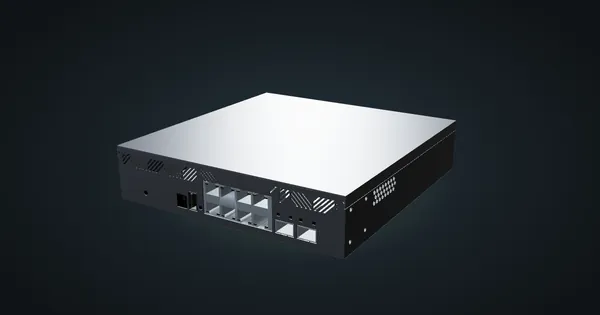
MikroTik CRS310-8G+2S+IN in a 10-inch rack
MikroTik CRS310-8G+2S+IN: eight 2.5 GbE ports, two SFP+ cages and RouterOS v7, but too deep for the hex shelf in any RackMate frame today.
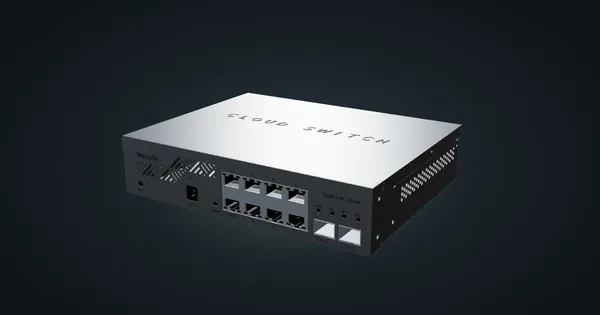
MikroTik CSS610-8G-2S+IN in a 10-inch rack
The MikroTik CSS610-8G-2S+IN in a 10-inch rack: eight Gigabit ports, two SFP+ cages, SwitchOS Lite, no fan and an 11 W maximum.
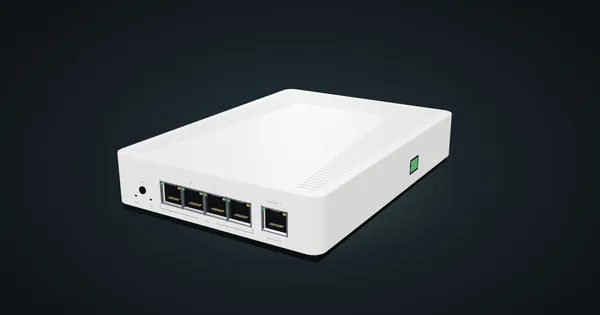
MikroTik CRS304-4XG-IN in a 10-inch rack
MikroTik CRS304-4XG-IN in a 10-inch rack: four 10G RJ45 jacks, a PoE-in management port, RouterOS v7, no fan, flat on the hex shelf in 1U.