MikroTik CSS610-8G-2S+IN in a 10-inch rack
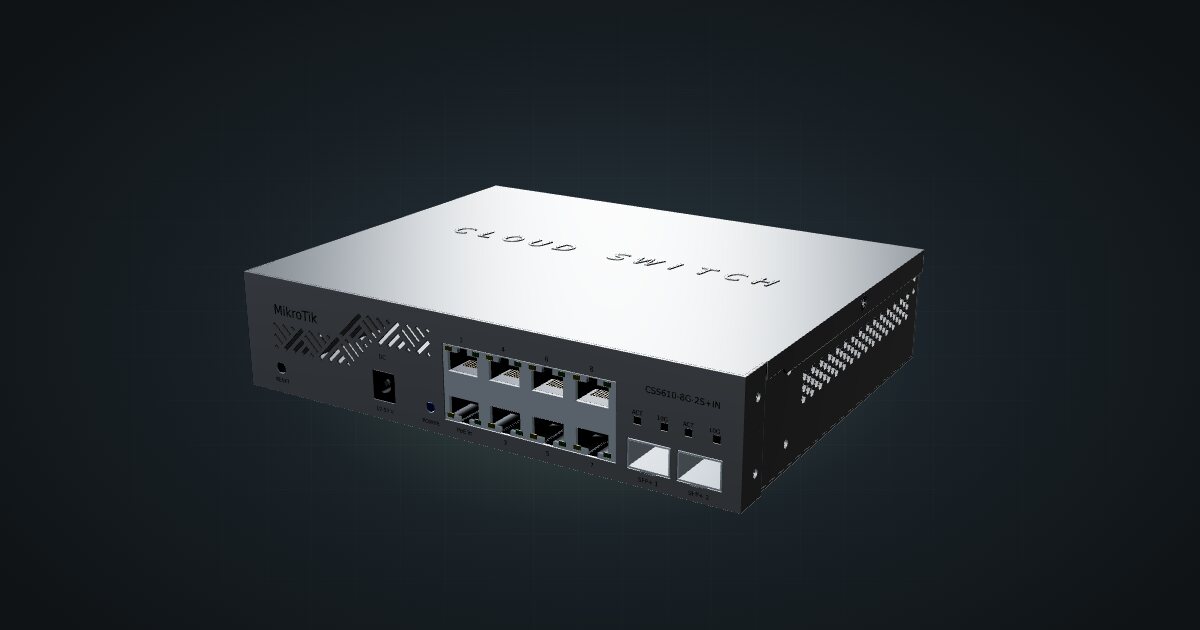
The MikroTik CSS610-8G-2S+IN in a 10-inch rack: eight Gigabit ports, two SFP+ cages, SwitchOS Lite, no fan and an 11 W maximum.

On this page
The CSS610-8G-2S+IN is MikroTik’s plainest route to 10G in a small rack: eight Gigabit copper ports for the everyday clients and two SFP+ cages for the boxes that deserve more. It runs SwitchOS Lite rather than RouterOS and has no fan. That makes it a good match for a quiet Gigabit rack that needs one or two fast links, and a poor match for anyone hoping to find a router hiding inside their switch.
At a glance
| Ethernet | 8 × Gigabit RJ45, front |
| Fibre | 2 × SFP+, front |
| Switching capacity | 56 Gbps non-blocking (L1) |
| Management | SwitchOS Lite |
| Power | 12–57 V DC or passive PoE, 11 W max |
| Cooling | Passive |
| Dimensions | 200 × 164 × 44 mm (W × D × H) |
Where it fits in a mini rack
Think of it as a Gigabit access switch with an express lane. The eight copper ports serve the usual rack population: single-board computers, KVM-over-IP boxes and mini PCs with Gigabit NICs. The two SFP+ cages run at 10G, which is enough for one fast NAS or server plus an uplink to the rest of the network, or for two fast hosts that move a lot of data between each other. With 56 Gbps of non-blocking switching capacity, every port can run at full speed at the same time.
SwitchOS Lite gives you a browser-based management page for the switch itself. It is a switch OS, not RouterOS, so routing, scripting and the rest of the RouterOS toolbox are not part of the deal. For a rack that just needs ports and a few sensible switch settings, that is a feature: there is less to configure and less to get wrong.
What it is not: a multi-gig switch. The copper ports are Gigabit only, so a mini PC with a 2.5G NIC will link at Gigabit here. If your clients have outgrown Gigabit, the sibling covered further down is the one to look at, with a large caveat about depth.
How it fits a 10-inch rack
There is no dedicated mount for the CSS610 in the catalogue, so the 10i hex shelf does the work. The configurator checks both orientations against every frame:
Flat on the shelf, the switch takes 2U at a placement depth of 171 mm and fits all six RackMate frames, including the 200 mm-deep T0 and T1. Standing upright it needs 5U. The four-unit T0 and T0 Plus don’t have that, so the upright option is limited to the T1/2 Plus, T1, T1 Plus and T2.
Flat is the natural choice for a switch whose ports all sit on one face: the RJ45 jacks and SFP+ cages point at the front of the rack, where the patch cables are, and the switch costs 2U instead of 5U.
Power
MikroTik rates the CSS610 at 11 W maximum, and 5 W maximum without attachments. Both figures are ceilings, not idle draw; MikroTik does not publish an idle number. The gap between them is the allowance for what you plug in, which on this switch mostly means the modules in the two SFP+ cages. A switch with two optical modules fitted sits closer to the top figure than one with empty cages.
For rack planning, budget 11 W. Power comes in as 12–57 V DC or passive PoE, so you can feed it from a small DC supply or from a passive PoE injector if your rack already distributes power that way.
Cooling is passive and the tested ambient range runs from -20 to 60 °C. At this power level the case has little heat to shed, but it still sheds it through the enclosure, so give the switch its own shelf rather than stacking a warm mini PC directly on top of it.
Networking and cabling
Every port is on the front: eight Gigabit RJ45 jacks labelled LAN 1 to LAN 8, and two SFP+ cages at 10G. Patch the copper ports to front keystones or straight to front-facing ports on the devices in the same rack. Short runs inside the frame are the whole point of a 10-inch rack; never loop a cable around the outside of it.
The SFP+ cages take DAC cables or optical modules. A DAC is the simplest choice for a host in the same rack. Optics make sense when the other end is in another room or already on fibre.
Two SFP+ cages go quickly. If one carries the uplink, only one 10G host is left, so decide early which box earns it.
How it differs from the CRS310-8G+2S+IN
On paper the two look like twins: eight copper ports and two SFP+ cages each. The details split them:
- Copper speed. The CSS610 has Gigabit RJ45. The CRS310-8G+2S+IN has 2.5 GbE on all eight ports.
- Software. SwitchOS Lite only, versus RouterOS v7 or SwitchOS on the CRS310-8G+2S+IN.
- Switching capacity. 56 Gbps versus 80 Gbps, both non-blocking.
- Power. 11 W maximum here. The CRS310-8G+2S+IN is rated at 34 W maximum, takes 18–57 V on its DC jack and ships with a 24 V 1.5 A adapter.
- Cooling. Passive versus one fan.
- Fit. The CSS610 sits flat on the hex shelf in 2U. The CRS310-8G+2S+IN measures 200 × 206 × 44 mm, and the configurator rejects it as too deep for that shelf in every frame.
If your clients are Gigabit anyway, the CSS610 is the one that actually goes into a rack today.
Full specifications
Plan it
Open the CSS610-8G-2S+IN in the catalogue to drop it on a hex shelf in your rack plan.
Weighing the alternatives? The CRS310-8G+2S+IN guide covers the 2.5G sibling and its depth problem, and the CRS305 guide covers the small fanless switch that trades copper ports for four SFP+ cages.
Sources
Related guides
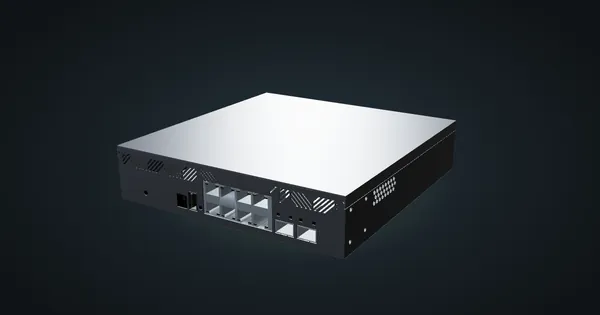
MikroTik CRS310-8G+2S+IN in a 10-inch rack
MikroTik CRS310-8G+2S+IN: eight 2.5 GbE ports, two SFP+ cages and RouterOS v7, but too deep for the hex shelf in any RackMate frame today.
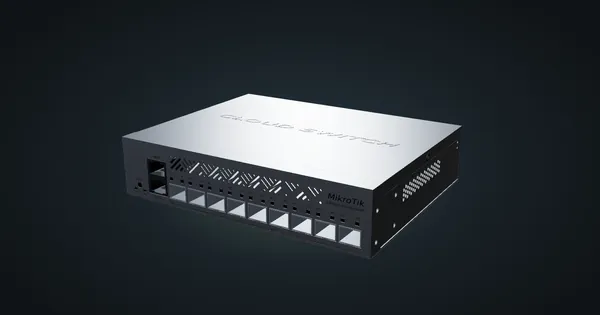
MikroTik CRS310-1G-5S-4S+IN in a 10-inch rack
MikroTik CRS310-1G-5S-4S+IN in a 10-inch rack: four SFP+ and five SFP cages, one Gigabit port, RouterOS v7 and a 2U hex shelf placement.
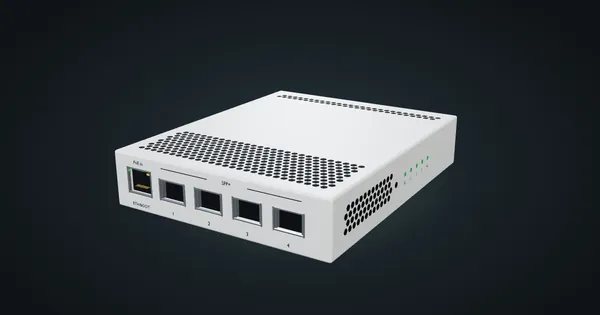
MikroTik CRS305-1G-4S+IN in a 10-inch rack
MikroTik CRS305-1G-4S+IN in a 10-inch rack: four SFP+ cages, PoE-in, RouterOS or SwOS, no fan, and a community 1U tray only 144 mm deep.