ASUS Ascent GX10 in a 10-inch rack
The ASUS Ascent GX10 in a 10-inch rack: two printable mounts (1.5U and 2U), a 1.48 kg chassis, a 240 W peak system budget and rear 10GbE plus QSFP.

On this page
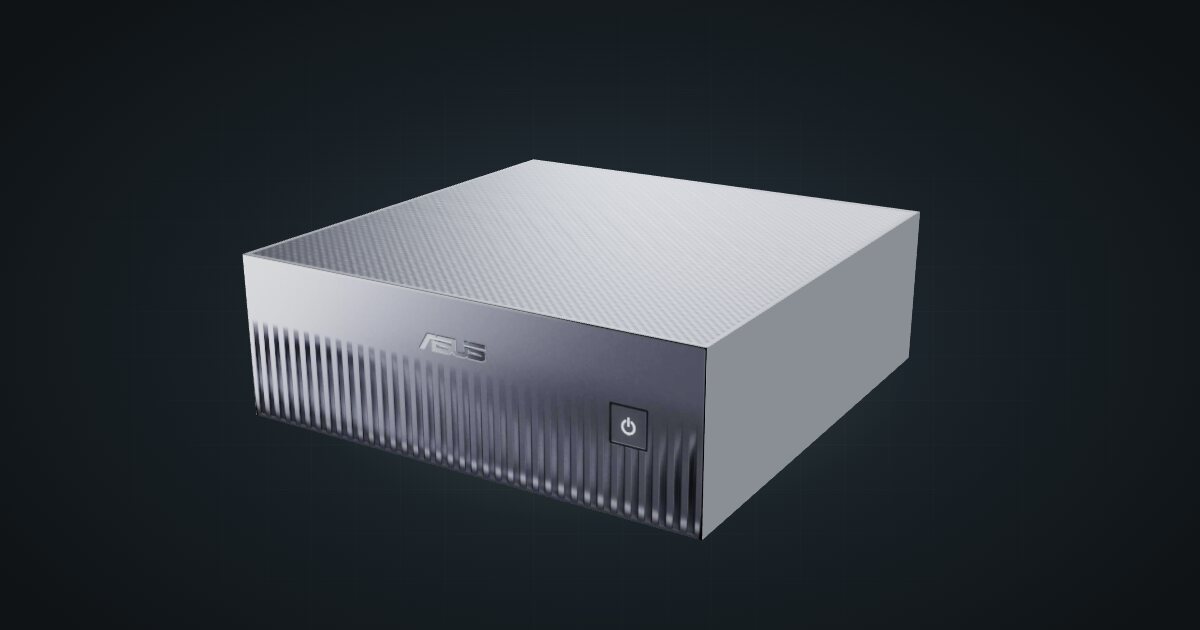
The ASUS Ascent GX10 is ASUS’s GB10 system: a 20-core Arm CPU and a Blackwell GPU sharing 128 GB of LPDDR5x, in a 150 × 150 × 51 mm chassis that is the heaviest in the family. For a mini rack it has one clear advantage over its siblings: two community mounts in the catalogue, one shared with the DGX Spark and one made for the GX10 alone. It suits a local AI rack where you want the hardware fixed in place, not resting on a shelf.
At a glance
| CPU | NVIDIA GB10, 20-core Arm (10 × Cortex-X925 + 10 × Cortex-A725) |
| AI performance | 1 PFLOP |
| Memory | 128 GB LPDDR5x unified memory |
| Storage | 1 TB or 2 TB PCIe 4.0, or 4 TB PCIe 5.0 M.2 NVMe, by SKU |
| Networking | 10GbE, ConnectX-7 SmartNIC with 2 × QSFP, Wi-Fi 7 2×2 |
| Power | 240 W adapter; 240 W peak total system power |
| Size and weight | 150 × 150 × 51 mm, 1.48 kg |
Where it fits in a mini rack
The GX10 earns a rack slot with its 128 GB of unified memory. CPU and GPU share that pool, so a model too large for a consumer graphics card can still load whole, and the box answers requests from the rest of your network instead of a cloud API.
Practical jobs:
- Self-hosted model serving. Run a large model and point chat front ends, coding assistants and document search across the homelab at it over the 10GbE port.
- Fine-tuning. ASUS rates the GB10 at 1 PFLOP. Take that as a peak, not a training speed. If training is the plan, the 4 TB PCIe 5.0 SKU is the one to pick: datasets and checkpoints eat space, and the faster drive helps when they move.
- Two GB10 systems, one rack. The ConnectX-7 SmartNIC brings two QSFP cages at 200 Gbps. The community build linked below puts a GX10 and a DGX Spark in the same RackMate T1, and a short cable between their QSFP cages is the obvious way to join them.
What it is not: an x86 virtualization host or a NAS. It runs NVIDIA DGX OS on Arm, and its one M.2 drive is working space for models, not bulk storage.
How it fits a 10-inch rack
The configurator checks every placement against each rack in the catalogue:
Nothing is blocked, and you get a real choice. Both mounts are 154 mm deep and fit every RackMate frame, from the four-unit T0 at 200 mm to the 260 mm frames:
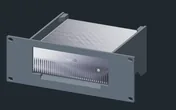
Rack height: 2U · Depth: 149 mm · Mounting: 3D-printed 2U carrier
Details & sources →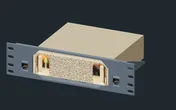
Rack height: 1.5U · Depth: 154 mm · Mounting: 3D-printed 1.5U carrier
Details & sources →- ASUS GX10 2U mount. Made for the GX10 alone. It uses two whole units, which keeps the rest of the rack on a clean grid.
- GX10 / DGX Spark mount. Holds the box horizontally in 1.5U and is shared with the Spark. It saves half a unit, at the cost of leaving a half unit to fill elsewhere.
If you would rather not print, the 10i hex shelf takes the GX10 flat in 2U or upright in 4U, at 154 mm deep. Upright fills a T0 or T0 Plus on its own.
At 1.48 kg the GX10 is the heaviest GB10 chassis in the catalogue. Whichever mount you choose, print it solid rather than as a light draft, since it carries the box from the front of the rack.
Power
ASUS specifies 240 W peak total system power and ships a 240 W adapter. Its FAQ also gives a 140 W TDP for the GB10 SoC, and is explicit that this is not the system’s consumption. The catalogue uses the 240 W peak as the high end; ASUS publishes no idle figure.
Like NVIDIA’s own figure and unlike most partner specs, that 240 W is a stated system maximum rather than only an adapter rating, which makes it a firm number to plan around. Budget 240 W per GX10 on the power strip and any UPS. NVIDIA’s idle figure for its own Spark does not carry over automatically, so leave the low end open. Power arrives through a rear USB-C port with EPR PD 3.1 input; put the brick on the rack floor or a rear shelf.
Networking and cabling
All wired networking faces the rear: one 10GbE RJ45 jack (LAN 1) and two QSFP cages (QSFP 1 and QSFP 2) on the ConnectX-7 at 200 Gbps.
- Patch LAN 1 to a rear keystone and pick it up from the front of the panel. Never route a cable around the side of the rack to a front switch port. Use a 10G copper switch port to get the full speed.
- The QSFP cages take direct-attach copper cables or optical modules. In a two-box rack like the community build, a short DAC between the rear cages is all you need.
- Wi-Fi 7 (2×2) and Bluetooth 5.4 with LE are on board; in a rack, use the wire.
Three rear USB-C ports run at 20 Gbps with DisplayPort 2.1 alt-mode, and HDMI 2.1a covers a console.
How it differs from the NVIDIA DGX Spark
Same superchip, same memory size, same network ports. The rest differs:
| ASUS Ascent GX10 | NVIDIA DGX Spark | |
|---|---|---|
| Rack mounts | Own 2U mount plus the shared 1.5U mount | Shared 1.5U mount |
| Weight | 1.48 kg | 1.2 kg |
| Height | 51 mm | 50.5 mm |
| Storage | 1 TB or 2 TB PCIe 4.0, or 4 TB PCIe 5.0 | 1 TB or 4 TB with self-encryption |
| Power | 240 W peak total system power, 240 W adapter | 240 W total peak, 240 W supply included |
| Video over USB-C | DisplayPort 2.1 | Up to 3 × DisplayPort |
| Software | NVIDIA DGX OS | NVIDIA DGX OS |
The extra weight and the dedicated mount are what matter in a rack. ASUS’s spec sheet in the catalogue mentions no self-encryption, cooling details or operating range, so check those with ASUS if they matter to you.
Full specifications
Plan it
Open the ASUS Ascent GX10 in the catalogue to add it to a rack plan with either mount, or start from the community build that already uses it:
The NVIDIA DGX Spark guide covers the reference design and the rest of the family, and the Gigabyte AI TOP ATOM guide covers the other GB10 system with a PCIe 5.0 SSD option.
Sources
Related guides
NVIDIA DGX Spark in a 10-inch rack
NVIDIA's GB10 reference box in a 10-inch rack: 128 GB unified memory, a 1.5U mount, rear 10 GbE and 200 Gbps QSFP, and a 240 W power budget.
HP ZGX Nano in a 10-inch rack
HP's GB10 system in a 10-inch rack: published idle and busy power figures, 54.5 mm tall on its feet, the shared 1.5U mount and rear 10GbE plus QSFP.
Lenovo ThinkStation PGX in a 10-inch rack
Lenovo's ThinkStation take on GB10 in a 10-inch rack: reference-size chassis, self-encrypting storage up to 4 TB, the 1.5U mount and a 240 W adapter.