Beelink Mini S12 / N100 in a 10-inch rack
How the Beelink Mini S12 / N100 fits a 10-inch rack: two 1U mounts, one with a JetKVM, a 6 W TDP N100, a 36 W adapter and a rear Gigabit port.

On this page
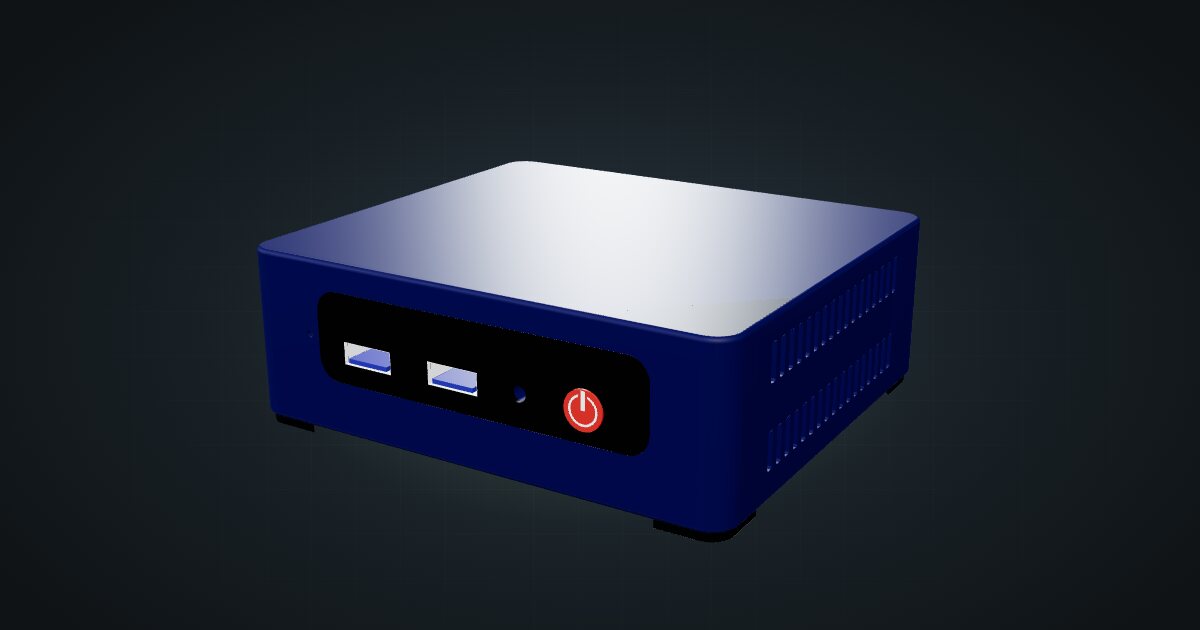
The Beelink Mini S12 is the small x86 box people reach for when a Raspberry Pi is not quite enough: an Intel N100 with a 6 W TDP, a SATA SSD, a 2.5-inch bay and a footprint barely larger than a coaster. In a 10-inch rack it sits in one unit, and the community has drawn a mount that pairs it with a JetKVM. It suits always-on services where low draw matters more than core count.
At a glance
| Processor | Intel N100 (Alder Lake-N), 4 cores / 4 threads, up to 3.4 GHz, 6 W TDP |
| Memory | 1 × DDR4-3200 SO-DIMM, 16 GB maximum |
| Storage | M.2 2280 SATA SSD plus a 2.5-inch SATA bay, each up to 2 TB per the listing |
| Networking | One Gigabit RJ45 at the rear; Wi-Fi 6 and Bluetooth 5.2 |
| Video | 2 × HDMI 2.0 |
| Power | 12 V / 3 A DC adapter (Mini S12 Pro N100) |
| Size | 115 × 102 × 39.1 mm, 335 g |
Most of these rows come from a retail listing and Notebookcheck’s review of the Mini S12 Pro N100, not from a Beelink datasheet. The catalogue folds the Mini S12 and the N100 version into one entry, so the exact configuration of your unit may differ.
Where it fits in a mini rack
The N100 is a good match for single-purpose, always-on jobs: Home Assistant, DNS filtering, a reverse proxy, a VPN endpoint or a small Docker host. Compared with an Arm board it gives you plain x86, a real SSD and a 2.5-inch drive for recordings or backups. One of the community builds below uses it for Frigate, the open-source NVR.
As a Proxmox host it is modest by the numbers: 4 cores / 4 threads and a single SO-DIMM slot capped at 16 GB. Those numbers point to a couple of light VMs or a set of containers, not a busy virtualization host.
What it is not: a fast storage box. The M.2 slot takes SATA SSDs, not NVMe, and there is one Gigabit port. It is not a multi-NIC router either without adding USB network adapters.
How it fits a 10-inch rack
The configurator checks each placement against every rack in the catalogue:
Both dedicated mounts hold the S12 in 1U and fit all six RackMate frames. They are shallow, 112 mm for the plain mount and 104 mm for the JetKVM version, so even the 200 mm-deep T0 and T1 leave plenty of room behind for cables and the power brick.
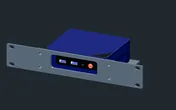
Rack height: 1U · Depth: 111.7 mm · Mounting: 3D-printed 1U carrier
Details & sources →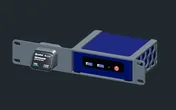
Rack height: 1U · Depth: 104.1 mm · Mounting: 3D-printed 1U carrier
Details & sources →- Beelink Mini S12 mount holds the machine on its own.
- Beelink Mini S12 + JetKVM puts a JetKVM next to it, so you get remote console and BIOS access to the box in the same unit.
The 10i hex shelf is the fallback: 2U flat or 3U upright, both at 154 mm deep and both fitting every frame.
Power
The catalogue plans this machine between 5.7 W and 36 W. The low figure is a tuned idle: one owner measured 5.7 W on an S12 Pro with 16 GB RAM and a 500 GB SSD after BIOS tuning and a headless Ubuntu setup. It is not what the box draws out of the box. Notebookcheck’s review saw 8.3–8.9 W idle, around 20 W average under heavy load and peaks around 33 W.
The high figure is the adapter allowance. Beelink support specifies a 12 V / 3 A supply for the Mini S12 Pro N100, which is 36 W of output, not measured draw. Even at that ceiling, several S12s are a light load on a shared power strip, but each still needs its own adapter somewhere at the back of the rack.
Networking and cabling
The single Gigabit RJ45 faces the rear. Patch it to a rear keystone in the same rack; never route the cable around the frame to reach the front.
With the JetKVM mount, remember the KVM is a second network device. It has its own rear RJ45, up to 100 Mbps, which needs its own switch port and its own rear keystone. Count both before you pick the switch.
Wi-Fi 6 is on board, which makes the S12 easy to set up before it goes into the rack. Once it is racked, use the wire.
Full specifications
Plan it
Open the Beelink Mini S12 / N100 in the catalogue to add it to a rack plan with either mount, or start from a community build that already uses it:
Pairing it with remote access? The JetKVM guide covers the KVM itself, and the Raspberry Pi 5 guide covers the Arm alternative for the same kind of always-on job.
Sources
Related guides
JetKVM in a 10-inch rack
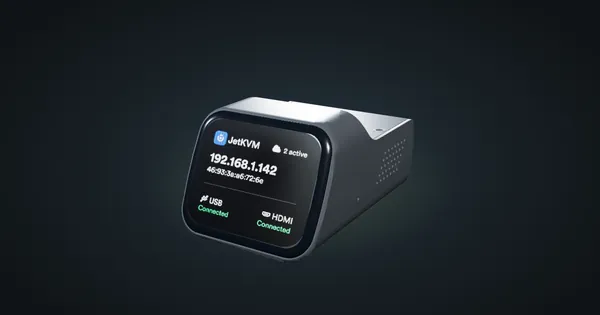
JetKVM in a 10-inch rack: KVM-over-IP for the machine beside it, three printable combo mounts, a rear 100 Mbps port and a tiny power budget.
Raspberry Pi 4 Model B in a 10-inch rack
Racking the Raspberry Pi 4 Model B: three printable mounts including a 2-SSD NAS plate, a 5 V / 3 A USB-C supply and one front Gigabit port.
HP ProDesk 400 G6 Mini in a 10-inch rack
How the HP ProDesk 400 G6 Mini fits a 10-inch rack: 10th Gen T-series CPUs, up to 64 GB RAM, 1U on the HP mount or 2U on the hex shelf.