Apple Mac mini M4 (2024) in a 10-inch rack
How the Mac mini M4 (2024) fits a 10-inch rack: a 1.5U keystone carrier, a 10-core CPU, 4 W documented idle, built-in power and rear Ethernet.

On this page
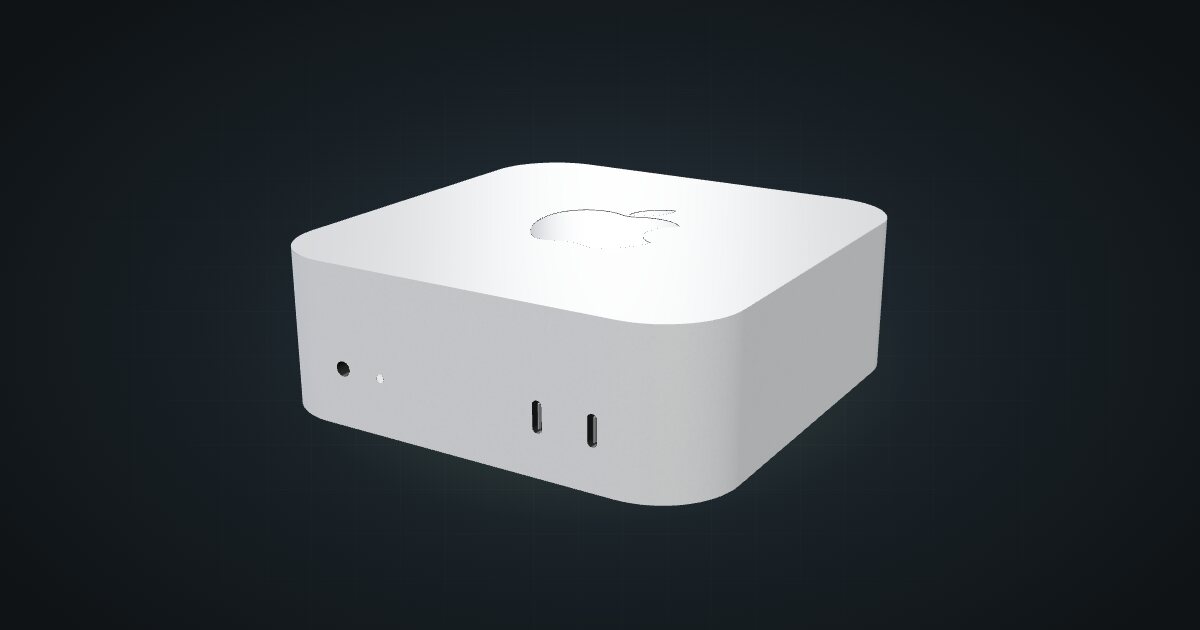
The 2024 Mac mini with the base M4 chip has a 127 mm square footprint and takes mains power directly, with no external brick, which makes it one of the tidiest computers you can put in a 10-inch rack. It suits macOS build machines, a home media or file server for an Apple household, and small local AI clusters built from several units.
At a glance
| Chip | Apple M4: 10-core CPU, 10-core GPU, 16-core Neural Engine |
| Memory | 16, 24 or 32 GB unified memory |
| Storage | 256 GB SSD; configurable to 512 GB, 1 TB or 2 TB |
| Networking | Gigabit Ethernet at the rear; optional 10 GbE |
| Ports | Front: 2 × USB-C (10 Gb/s), headphone jack. Rear: 3 × Thunderbolt 4, HDMI, Ethernet |
| Power | Built-in supply, 100–240 V AC; Apple documents 4 W idle and 65 W maximum for the base configuration |
| Size | 127 × 127 × 50 mm, 0.67 kg |
This entry is the 2024 base M4. The M4 Pro model uses different Thunderbolt and power specifications. Memory and storage are chosen when you order, and the catalogue does not model them as build variants.
Where it fits in a mini rack
The M4 Mac mini runs macOS, so it is not a drop-in Proxmox node. Its rack jobs are the ones where macOS or Apple silicon is the point: a build or CI runner for Apple platforms, a file and media server for Apple devices, or a node for local AI models.
For local AI, the specs that matter are the 16-core Neural Engine and the unified memory, which tops out at 32 GB on this chip. Several units can be grouped into a cluster, and the community build linked below is one. Thunderbolt 4 on the rear gives each machine fast links to its neighbours or to external storage.
The documented 4 W idle also makes a single unit a reasonable always-on box for home services, provided you are happy running them on macOS.
What it is not: a hypervisor host, or a multi-drive NAS, since all storage is internal.
How it fits a 10-inch rack
The configurator checks each placement against every rack in the catalogue:
The community carrier holds the Mac mini in 1.5U at 135 mm deep and adds keystone positions. It fits all six RackMate frames, and the shallow depth leaves plenty of room behind the machine even in the 200 mm-deep T0 and T1.
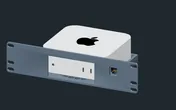
The half-unit height matters when you plan the rest of the rack: pair the carrier with another 1.5U part, or leave the gap for airflow.
Without the carrier, the 10i hex shelf takes the Mac mini flat in 2U or upright in 3U, both at 154 mm deep and both fitting every frame.
Power
Apple’s own measurements for the M4 with 16 GB unified memory and a 256 GB SSD give about 4 W idle and 65 W maximum. The catalogue uses those as its low and high figures: a documented idle and a documented maximum for the base configuration, not for the M4 Pro, and peripherals on the USB-C and Thunderbolt ports add to them. The technical specifications also list 155 W maximum continuous power.
The practical difference from most mini PCs is that there is no external brick. The Mac mini takes 100–240 V AC directly through its power cord, so you plan one mains outlet per machine on the strip and nothing else at the back of the rack.
Networking and cabling
The Ethernet port is on the rear, Gigabit as standard, with 10 GbE available as an option when you order. Either way, patch it to a rear keystone in the same rack.
If you use the carrier’s keystone positions for front patching, do not loop the rear Ethernet cable around the frame to reach them. A rear port goes to a rear keystone.
The two front USB-C ports at 10 Gb/s and the headphone jack stay reachable from the front. Thunderbolt 4 and HDMI live on the rear with the Ethernet, so plan those cables at the back as well. Wi-Fi 6E and Bluetooth 5.3 are built in, but a racked machine should use the wire.
Full specifications
Plan it
Open the Mac mini M4 (2024) in the catalogue to add it to a rack plan with the carrier or the shelf, or start from a community build that already uses it:
Building for local AI? The NVIDIA DGX Spark guide covers a dedicated AI workstation for the same kind of rack, and the Minisforum MS-A2 guide covers a Ryzen-based x86 host.
Sources
Related guides
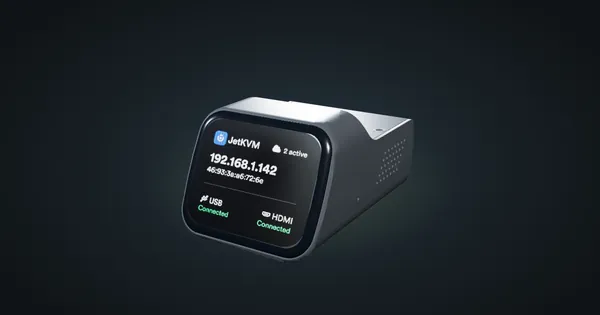
JetKVM in a 10-inch rack
JetKVM in a 10-inch rack: KVM-over-IP for the machine beside it, three printable combo mounts, a rear 100 Mbps port and a tiny power budget.
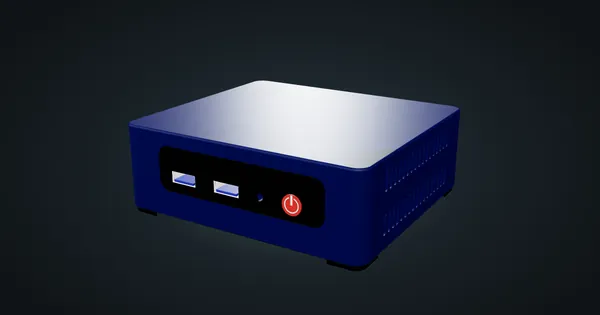
Beelink Mini S12 / N100 in a 10-inch rack
How the Beelink Mini S12 / N100 fits a 10-inch rack: two 1U mounts, one with a JetKVM, a 6 W TDP N100, a 36 W adapter and a rear Gigabit port.
HP ProDesk 400 G6 Mini in a 10-inch rack
How the HP ProDesk 400 G6 Mini fits a 10-inch rack: 10th Gen T-series CPUs, up to 64 GB RAM, 1U on the HP mount or 2U on the hex shelf.